



Curious about what it takes to publish a project with Adobe DPS? One great resource is Bob Levine’s lynda.com course, Adobe Digital Publishing Suite Essential Training. The course was recently updated with new movies on 2015 updates, plus new details on building apps, HTML animation effects, and more.
There’s also a free movie with some great info on managing content in multistate objects.
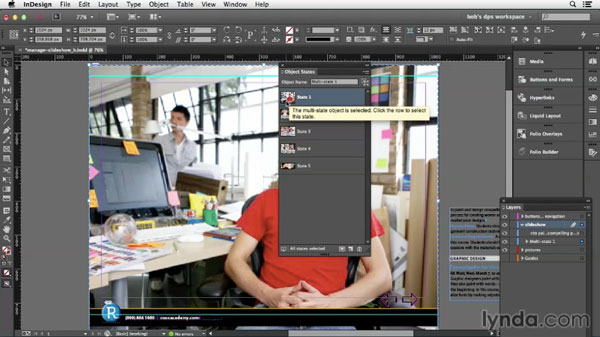
In the video, Bob shares important tips for working with MSOs, including how to add photos and text into the right state, how to make the panel display more usable, and why it’s important in DPS to not have objects that bleed off the edge of the page. He even might get you to reconsider your feelings toward InDesign’s infamous “donut” (aka the Content Grabber) which can be very handy when you’re working with MSOs. Check it out!
This article was last modified on March 5, 2025
This article was first published on May 29, 2015
Commenting is easier and faster when you're logged in!

Recommended for you

InDesign How-to Video: How to Set Up Facing Pages
David Blatner explains what facing pages are and when you might want to use them...

CreativePro Ask the Expert Video: Tony Harmer
In this week’s video, Tony Harmer joins David Blatner to discuss his design phil...
InDesign How-to Video: Use an InDesign File as a Graphic Part 2
In this week’s InDesignSecrets video, Erica Gamet demonstrates another use for p...