


Design Tips: The Power of Grids


To buy this issue or subscribe to “InDesign Magazine,” click here.
Grids. To some graphic designers, that’s a swear word; to others, grids are close to a religion. I say the reality lies somewhere in between. While grids aren’t always right, they can help you maintain consistency and organize information quickly, which makes it easier to communicate your message clearly.
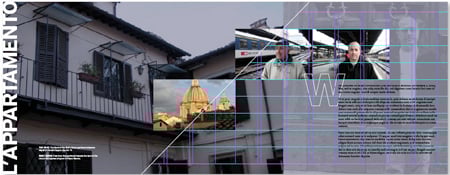
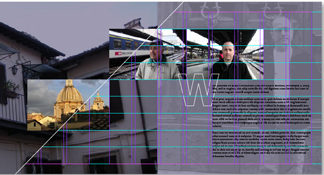
For this project, designer Scott Citron used margin and column guides along with a horizontal grid of guidelines to add structure and balance to his pages. He also placed objects free-form.
In this article, you’ll learn when and why designers across the world use grids. Then I’ll show you how to get the most out of grids in Adobe InDesign.
To download the full article, click the link “Grids” and open the PDF file in your Web browser. You can also download the PDF to your machine for later viewing and printing.
To open the PDF, you’ll need Adobe Acrobat or Adobe Reader. We highly recommend Acrobat Reader 7.0 to view this PDF. To download Acrobat Reader click below:
 .
.
To learn how to configure your browser for viewing PDF files, see the Adobe Reader tech support page.
This article was last modified on January 10, 2022
This article was first published on November 22, 2006
Commenting is easier and faster when you're logged in!

Recommended for you


How to Set Up Your Documents So That Your Printer Won’t Hate You
I work for a large commercial printing company (see my bio below for details) an...
Premium Member Benefit: Corporate Flyer Templates
Time for another exclusive template for our Premium members! (Not a Premium memb...