



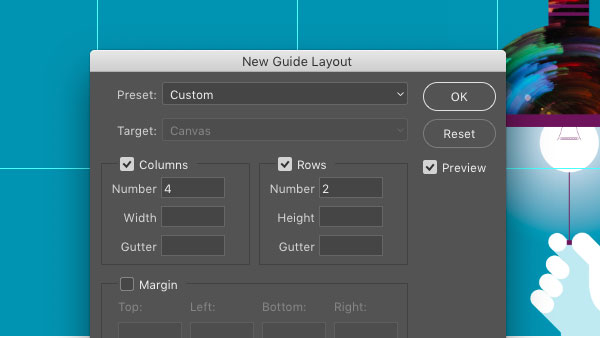
Ever need to create a set of regularly-spaced guides in a Photoshop document? Or use guides to create a margin area all around a Photoshop document? Then head right to the View menu and choose New Guide Layout. You can divide the canvas up into a specific number of columns and rows, or set the exact width and height of the columns and rows. The dialog box also has an option for clearing any existing guides.
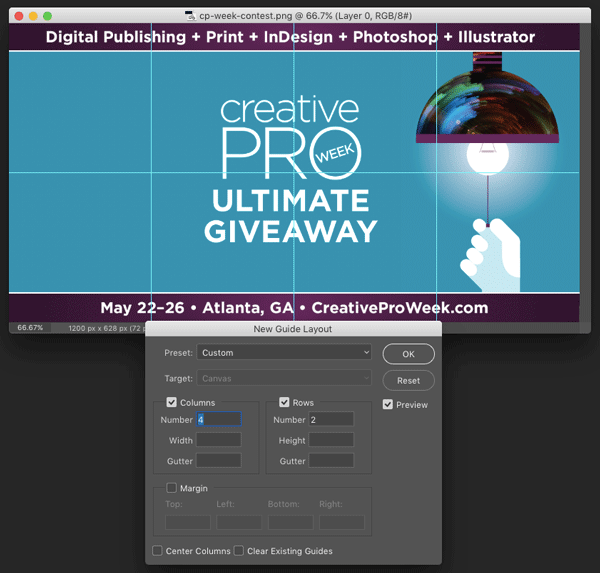
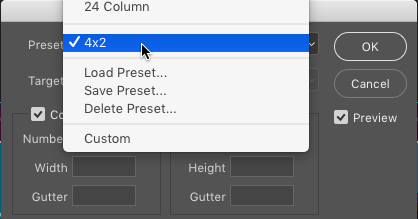
And if you want to use the same set of guides on regular basis, set them up and choose Save Preset from the Preset menu.
This article was last modified on July 6, 2022
This article was first published on February 13, 2017
Commenting is easier and faster when you're logged in!

Recommended for you

Fresh Tips for InDesign
Here’s a fresh batch of timeless tips from some of the world’s best InDesign exp...

Nano Banana and Flux Kontext Pro: Using Third-Party AI Models in Photoshop
Partner models add powerful new options for Generative AI in Photoshop

Tip of the Week: Finding Without the Find/Change Dialog Box
Sign up for the InDesign tip of the week to get a new tip, roundups of new artic...