



Canon PhotoStitch
Right out of the box, the easiest technology to use is the Canon system. When you choose the Panorama function in the PowerShot Digital Elph cameras, you can toggle the function so you can shoot left to right, or right to left. Then once you take the first shot, you’ll see a preview that maintains the overlap of the previously shot image in the sequence so you can line up the next shot within the LCD (see Figure 6). This preview allows for decent alignment even with a handheld camera.
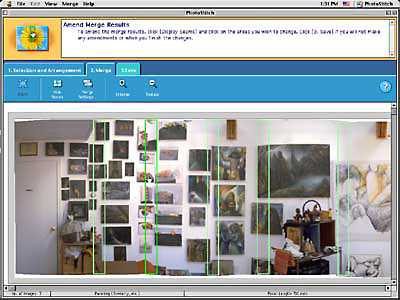
Figure 6: By far the easiest interface is the Canon software. When you launch it, you’re asked to choose your images in the order you want them stitched and to specify focal length (if they’re not Canon photos). Your images are then automatically stitched into the main window. You can make adjustments to the overlaps if you need to, but the automatic job is impressive.
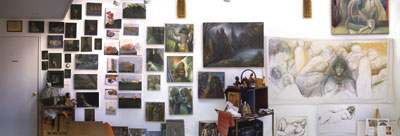
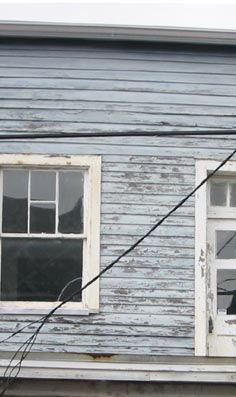
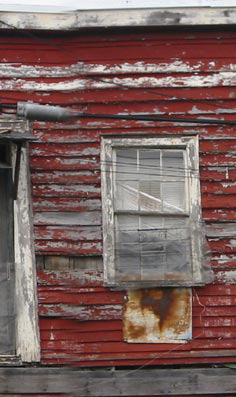
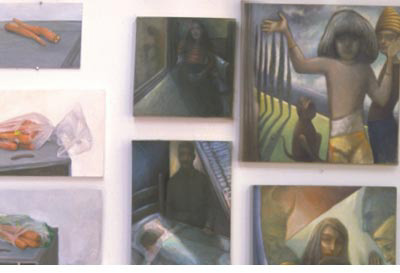
The Canon Solution software package isn’t very sophisticated, but the PhotoStitch component is by far the simplest of all the software to use, with the results being quite remarkably decent (see Figure 7). Especially when using photos taken with a Canon PowerShot camera, or with photo sequences in which you know the exact focal length of the shots (as in my 50mm studio shots), this software does first asks you to order the images, then it does an admirable job of seaming them together. The software comes free with your Canon PowerShot camera (it’s $19.95 if you want to purchase separately for use with a non-Canon camera) and it provides a good middle-of-the-road balance between crispness and misalignment. When reduced these images are just fine to use as is, and will save you a lot of time over doing this manually.

7a
7b
7c
7d
Figure 7: The easiest system to use is the Canon camera with its software. The stitched images aren’t quite as crisp as the Olympus ones, but as a result they hide the misalignments better in many circumstances, but worse in others (7a-d).
This article was last modified on January 3, 2023
This article was first published on April 29, 2003
Commenting is easier and faster when you're logged in!

Recommended for you
How to Create a Snow Scene in Photoshop
Too late to get your Christmas cards printed? You can still make an email card a...

How to Make a Rippling Flag in Photoshop
How to make a realistic flag on any background with the design of your choice.
Use the History Log to Make Photoshop Take Notes For You
Have you ever finished a complex sequence of steps in Photoshop, and later wishe...