



Olympus CamediaPro
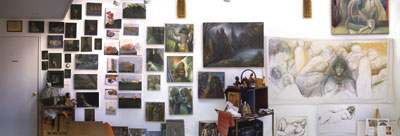
The software that ships with Olympus cameras supports a limited panorama feature with a series of narrow requirements: You must be using the Olympus xD card (not a generic SmartMedia card); you must be in one of the compatible program modes (such as Landscape); you must choose the Panorama setting; and then you must shoot in a left-to-right direction. To actually stitch the images together in the Camedia software you would then choose “Auto Panorama.” The results of this automatic mode were pretty lousy for these hand-held shots, and it’s not possible to load any photos shot under any other condition for stitching together, or manually reorder or replace any of the shots (for instance when I accidentally shot a series right to left). In fact this software has a pretty basic interface so I wouldn’t recommend it as standalone software for $19.95.
On the other hand, upgrading to the CamediaPro software (also at $19.95) provides you with a good deal more flexibility, and better results, though still with a somewhat clunky interface (see Figure 4) –it’s very slow to access your hard drive to find your files, for instance. If you aren’t sure of the focal length you should still use the Panorama function with the xD card (which is also required for the next line of C series cameras) to shoot your images.
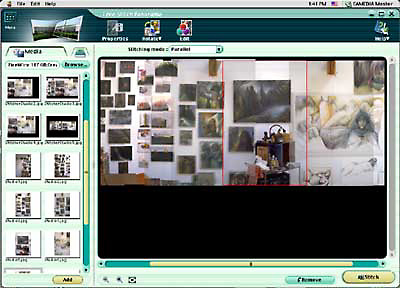
Figure 4: The Olympus CamediaPro navigation interface was the most awkward, paintfully slow. Once you have the correct folder of images chosen (on the left), drag one at a time into the work window and adjust alignment. Zooming tools and a scroll bar make adjustments simple.
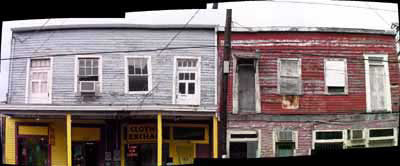
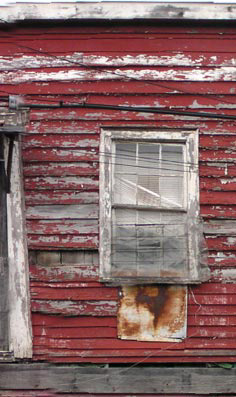
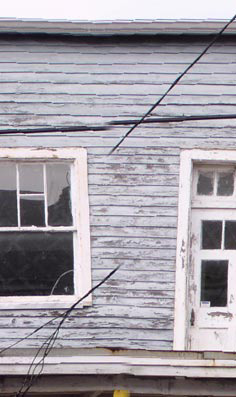
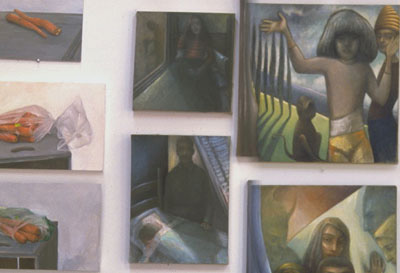
With an upgrade to the Pro software you’ll be able to stitch together sequences of images shot with any camera with quite good results, but you’ll get the best results with Olympus’s own coded pictures. The CamediaPro software tended to prefer clarity over alignment when stitching, which yielded the crispest, sharpest images of those tested, which also means that these were the shots with the most visible misalignment (see Figure 5}.
5a
5b
5c
5d
Figure 5: Using photographs taken with Olympus cameras and xD card, the Olympus software tends towards crisper images that allow for more misalignment (5a-5d).
This article was last modified on January 3, 2023
This article was first published on April 29, 2003
Commenting is easier and faster when you're logged in!

Recommended for you
10 Free Vector Patterns, Volume 3
You may have seen my 20 free vector patterns and the follow-up 20 free line...

How to Create a Pixel Stretching Effect in Photoshop
How to add a striking a sense of movement to any subject in Photoshop.

Creative Blöks: The Flat-Footed Naysayer
A creative endeavor is an adventure in every sense of the word. Like most design...