



Hey folks, it’s time for another InDesign mystery that you can solve for a chance to win an awesome prize!
Here’s the scenario:
While checking the pages of a long document, you notice that there’s something wrong with the appearance of some of the page numbers. The single-digit numbers look fine, but the spacing of double-digit numbers is squished horizontally, to the point where the numbers are crashing.
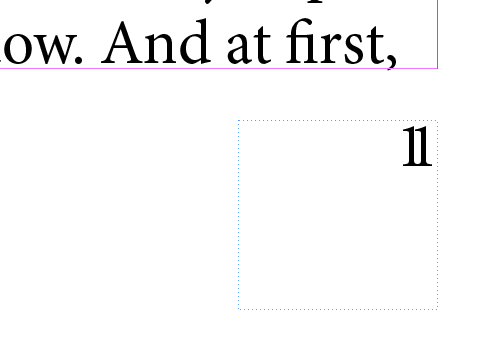
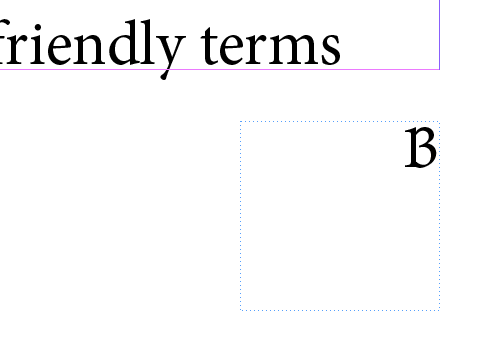
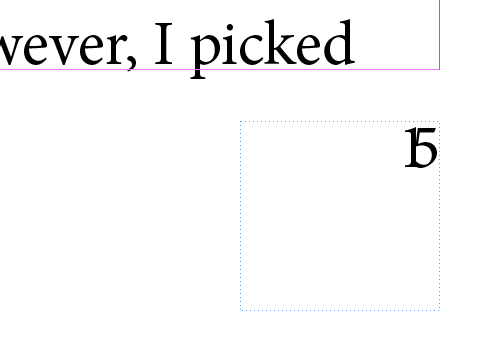
The problem gets even worse when you reach pages with triple digits.
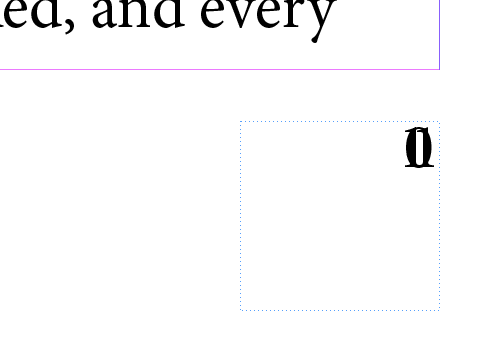
The page number is by itself in a text frame on the master page. There text frame has more than enough room for triple-digit numbers and multiple lines of text. There are no other items on the master page. No tracking or kerning have been applied.
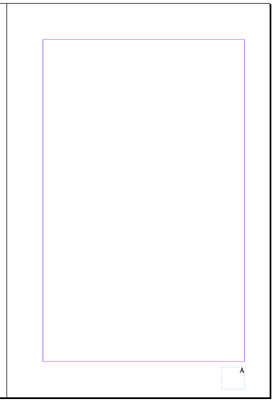
Why are the page numbers getting pinched?
This month’s prize is full access for 3 months to the video archives for PePCon 2016 or the CreativePro Conference (up to $495 value!).
The winner will be chosen at random from all the correct answers I receive before October 17, 2016
Enter now by emailing your solution to mike at indesignsecrets.com
Note: Comments are closed on this post so no one gives away the answer. Good luck!
This article was last modified on July 25, 2019
This article was first published on October 10, 2016
Commenting is easier and faster when you're logged in!

Recommended for you

At-a-Glance Design
Whether you are designing presentations, books, infographics, or any other form...

Before&After: Design a Pocket-Size Brochure
Eight small pages unfold into an informative, letter-size sheet.

8 Great Tips from CreativePro Week 2024
Our Editor in Chief lists his favorite tips from CreativePro Week 2024.