




Hey folks, it’s time for another InDesign mystery that you can solve for a chance to win an awesome prize!
Here’s the scenario:
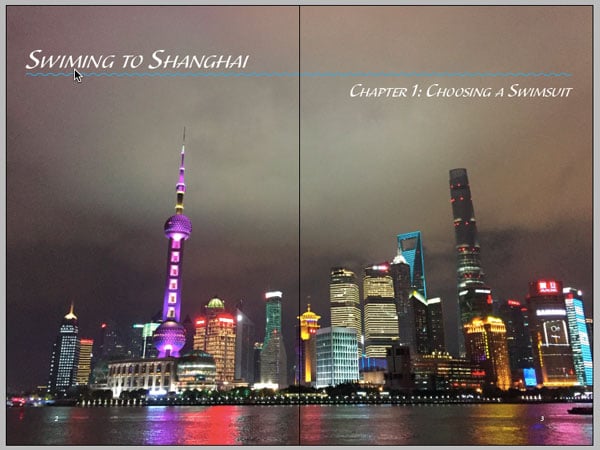
You open an InDesign file for a book project and notice a spelling error on one of the document pages. But when you click on the text with either the Type tool or Selection tools, nothing happens.
To check if the text frame with the spelling error is locked, you open the Layers panel and see that the text frame isn’t listed there. In fact, no items at all are listed in the Layers panel! It’s empty!
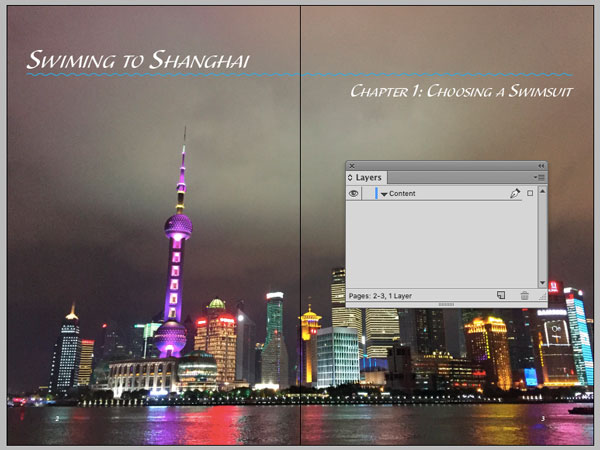
There’s only one layer in the document. It is unlocked, and if you hide it, all the content on the spread is hidden.
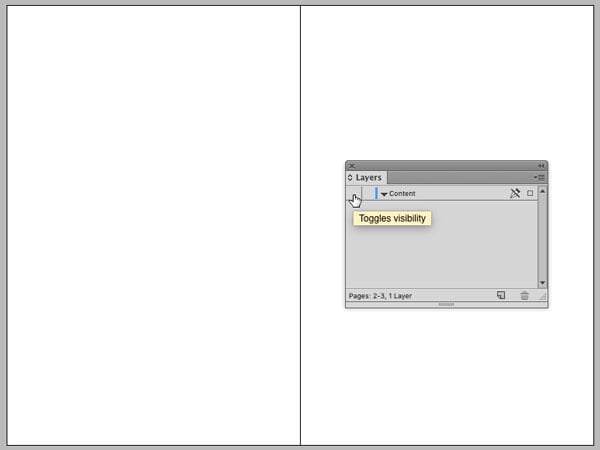
Why does the Layers panel appear empty even though you can see content on this spread?
This month’s prize is an Activation Code for FrameReporter from Rorohiko. This amazing add-on attaches labels to frames in your layouts, displaying all kinds of key information about text and images.
There will be two winners: the first person to respond with the correct answer, and another person chosen at random from all the correct answers I receive before Monday 16, 2016
Enter now by emailing your solution to mike at indesignsecrets.com
Note: Comments are closed on this post while the contest is open so no one gives away the answer. Good luck!
This article was last modified on July 25, 2019
This article was first published on May 9, 2016
Commenting is easier and faster when you're logged in!

Recommended for you

Introducing The Design + AI Summit
Learn how you can put the power of generative AI tools to work for you at The De...

InDesign Eye Candy, part 4: Pattern Swatches
Unlike Photoshop and Illustrator, InDesign doesn’t have pattern swatches t...

Learning Typography with Typekit Practice
The way that I feel about fonts and typography can be summed up by a quote from...