Jeff Witchel

Jeff Witchel

About

Jeff Witchel graduated from Pratt Institute in 1973 with a B.F.A. (Cum Laude) in Advertising Design and Visual Communications. He has been an award-winning advertising art director, writer, designer, illustrator, and TV producer ever since. Before starting his own advertising agency in New Jersey, Jeff built his career at top New York ad agencies such as Young & Rubicam, Grey Advertising, and Wells, Rich, Greene. Over the years, he has created award-winning work for many clients including AT&T, Blue Cross/Blue Shield, Jell-O Pudding, The Plaza Hotel, and Pfizer. His many prestigious awards include N.Y. Art Directors Club Gold Award, One Show Gold Award, N.J. Art Directors Club Award, multiple Andy Awards, Graphis Annual, numerous readership awards, plus an Emmy Award nomination. Jeff is a self-taught computer artist with over 23 years of experience. His initial introduction to the computer was with PageMaker, but he switched to Quark 1.0 when it was first introduced in 1987. Having arrived on the desktop publishing scene so early, Jeff became the ?go to? guy for answers when others started getting into computer graphics. As an Adobe Certified Expert, he?s provided online support for Adobe and is now an Adobe Certified Training Provider for both Adobe Illustrator CS4 and Adobe InDesign CS4. Jeff is also a Quark Certified Expert in QuarkXPress 6, which comes in handy in helping ?switchers? to make a smooth transition to InDesign. He counts among his training clients ad agencies, design studios, magazines, newspapers, illustrators, and photographers. Jeff writes for both Layers magazine and InDesign magazine and has authored and been the Instructor for various training DVDs as well as online videos for both InDesign and Illustrator. He also writes online tutorials for www.LayersMagazine.com and is the author of ?Layers Magazine Tip of the Day,? which is received by nearly 20,000 subscribers each weekday.

Article
InDesigner: Journal Publications Inc.

Jeff Witchell shares examples from these weekly publications.

Learn more
Article
InDesigner: Pratt Institute Grads

Jeff Witchel speaks to three recent graduates and shares samples of their impressive portfolios.

Learn more
Article
How to Number Pages of a Spread With a Range

Editor’s Note: this post was excerpted from Jeff’s handout from CreativePro Week 2018. There’s still time to register for CreativePro Week 2019, or sign up for a Virtual Pass so you don’t miss out! There’s a reason I love answering questions on the Adobe Forum. Sometimes the best answers to difficult questions involve using features […]

Learn more
Article
Tip of the Week: Take the Shortcut to the Bridge

Sign up for the InDesign tip of the week to get a new tip, roundups of new articles, plus exclusive deals sent right to your Inbox!

Learn more
Article
Tip of the Week: Showing Hidden Panels

Sign up for the InDesign tip of the week to get a new tip, roundups of new articles, plus exclusive deals sent right to your Inbox!

Learn more
Article
Tip of the Week: Make the Pasteboard Taller

Sign up for the InDesign tip of the week to get a new tip, roundups of new articles, plus exclusive deals sent right to your Inbox!

Learn more
Article
Tip of the Week: Collecting Fonts on Hidden Layers

Sign up for the InDesign tip of the week to get a new tip, roundups of new articles, plus exclusive deals sent right to your Inbox!

Learn more
Article
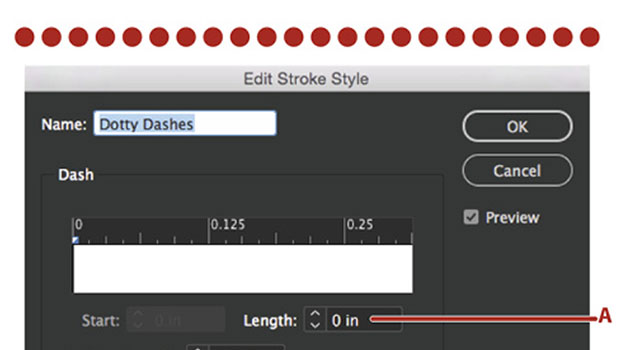
InDesign’s Super Strokes

Jeff Witchel shows how to unlock the power of custom stroke styles.

Learn more
Article
Quick Solutions to 4 “Impossible” Adobe Problems

In my daily work (and as an Adobe Community Professional), I get asked a lot of questions about how to accomplish specific tasks in Creative Cloud applications like InDesign, Illustrator, and Acrobat. Some folks have questions about an application’s features. Others have issues with a problematic document or corrupted preferences. Some of my favorite questions are […]

Learn more
Article
A Look Inside Illustrator’s Live Color

Imagine having your own color lab to experiment with the colors for a project right within Adobe Illustrator. That’s what the Live Color features are all about. They’re a huge playground for having fun with color, easily playing with your choices of color, and simply solving some difficult color problems. It’s the perfect tool for […]

Learn more
CPW Icons

June 29–July 3, 2026

Nashville, TN (and online)