


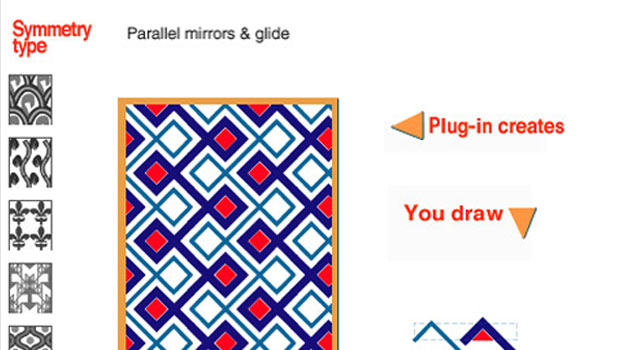
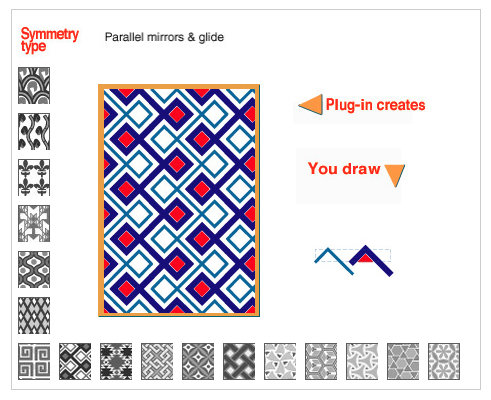
Everyone loves a good pattern, and we’re no exception here. We’ve offered free vector patterns, tutorials on easy pattern creation in Illustrator, and more. But if you really love working with patterns and use them often, you can’t beat the creative options and time-saving features you get from a dedicated tool like Artlandia SymmetryWorks. The newly released version 6 of this Illustrator plug-in offers the ability to create automatic color reversals to give your patterns a balance of “positive” and “negative” areas.
SymmetryWorks offers lots of advantages over Illustrator’s built-in pattern creation tools, including 17 types of symmetry, counterchange patterns, and many other efficiency features. Check out the Pattern Sampler to view all 17 types of symmetry you can use in SymmetryWorks.
SymmetryWorks 6 works with Illustrator CS6 or CC on Mac OS and Windows, an pricing starts at $249 ($75 upgrade).
This article was last modified on July 28, 2021
This article was first published on September 24, 2013
Commenting is easier and faster when you're logged in!

Recommended for you

Using Photoshop’s Generative Fill to Remove Objects
Learn how to simply remove items from an image in Photoshop, without extra conte...
How to Adjust Colors Using Photoshop’s Contextual Task Bar
Learn how to use the Photoshop Adjust Colors feature to make quick, non-destruct...

How to Adjust Colors in Photoshop Using Hue and Saturation
Learn how to manipulate an image’s colors using Photoshop’s Hue and Saturation s...