




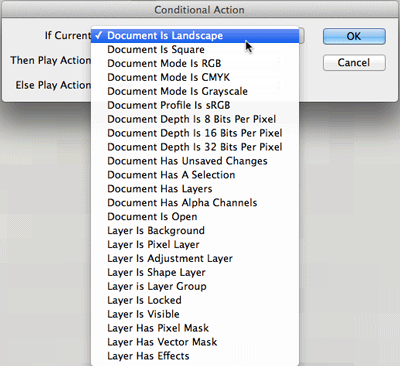
A little over a week ago, Adobe rolled out updates for Photoshop, Muse, and the Creative Cloud. Among the new Photoshop features are Smart Object support for the Liquify filter and blurs, enchancements of the Crop tool, default type styles, and conditional actions which allow you to create smarter automation by adding if-then statements to the actions you record.
The Conditional Action dialog box
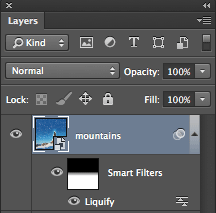
Liquify applied non-destructively to a smart object layer
New crop options menu

If you want to see these features in action, check out the following video created by Adobe evangelist Julieanne Kost to accompany the Photoshop update. In it, you can see how to use Liquify and Tilt-Shift blurs non-destructively (and with masking as an added bonus).
Plus, Julieanne shows how to add conditional statements to actions which could save a huge amount of time in batch processing a mixed set of images.
Note: the new features in Photshop 13.1 are exclusive to Creative Cloud subscribers. If you’re wondering why subscribers get new features first, check out the explanation at the end of the news story about the first Creative Cloud update for Ilustrator.
This article was last modified on December 19, 2012
This article was first published on December 19, 2012
Commenting is easier and faster when you're logged in!

Recommended for you

Heavy Metal Madness: The Agony of Defeat
[Editor’s note: Though this is the final installment of “Heavy Metal...

Scanning Around with Gene: Barbecues, Bar-B-Ques, or BBQs — We Love 'Em All
The New York Times recently ran an article called “Pimp My Grill” ab...

Out of Gamut: Why Do High-Bit Editing?
Almost everyone who has a scanner does some high-bit editing whether they know i...