




This week I’ve had the privilege to be at Adobe in San Jose learning Creative Suite 6. Yesterday was the day to learn the design tools, specifically Illustrator, Photoshop, InDesign, and a new product called Adobe Muse. (More on the products tomorrow.)
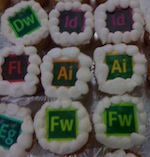
The day I arrived at Adobe was the day the Creative Suite 6 shipped and made available for purchase. The atmosphere at Adobe was what’s best described as exhilarated yet exhausted. In the front lobby were cupcakes decorated with the logos of CS6 products. The cupcake selection was picked over. Only one tired CS6 suite cupcake remained.

The exterior of Adobe’s offices were festooned with posters and decals celebrating CS6 and the Creative Cloud. I’d always been a little lukewarm about the “periodic table” design of the product icons when they were first shown with CS3. But after seeing a window display of all the icons together, pieced together like a patchwork quilt, I realized their graphic impact and understood the design strategy behind them, especially as Adobe moves toward product integration first through the Creative Suites and now with the Creative Cloud.


Speaking of the Creative Cloud and design, it was at Adobe where I finally “got” the graphic Adobe has been using as an expression of the launch.

I saw the explosion of products all right — that much was obvious — but I didn’t see that the they were emanating from the shape of the Creative Cloud logo itself.


I’m still not that keen on the model photos — Adobe calls them “totems” — used to indicate each product, though. These highly decorated faces are certainly creative, but a couple are so startling that they kind of turn me off. Yet, when I see these striking visages in context of that single explosive image that represents the Creative Cloud, I like them more.

What do you think about Adobe’s new graphics for CS6? Post a comment.
This article was last modified on May 9, 2012
This article was first published on May 9, 2012
Commenting is easier and faster when you're logged in!

Recommended for you

Scanning Around With Gene: Maintaining Your Car and Your Home
The latest service woes of Toyota made me oddly nostalgic for the days when it w...
Magazine PIB Ad Revenues Continue to Rise
Total magazine rate-card-reported advertising revenue for the month of October i...

Neenah Paper Announces New Environmental Platform
As a manufacturing company, Neenah Paper has long been an industry leader in the...