



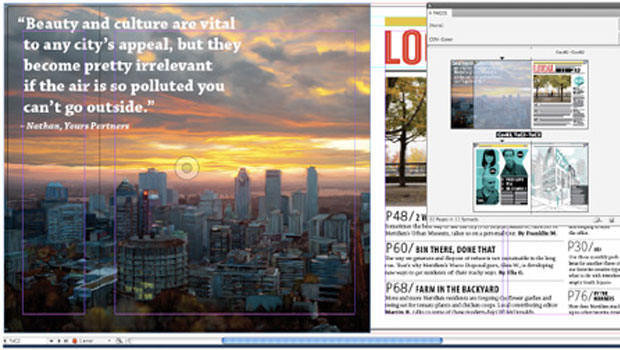
InDesign CS5 is awash in new features and improvements. There are several ways to categorize the changes: big and little; print and interactive; working by yourself and collaborating. Here are some of the highlights. Note that this is not a review; that will be coming as soon as InDesign expert Michael Murphy can test the final code, which is not yet available.
Span/Split Columns
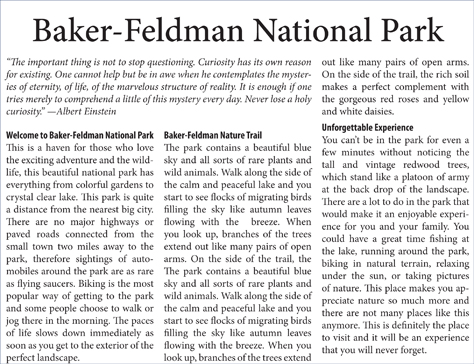
You may not think this feature is a big deal — until the first time you don’t have to break one text box into two to create a headline that spans a column. Check out these examples from Claudia McCue, who’s written an in-depth article on InDesign CS5 in the April/May 2010 issue of InDesign Magazine. Believe it or not, each example is only one text frame:

Multiple Page Sizes
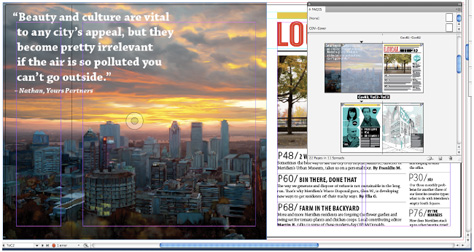
It’s been too long coming (QuarkXPress has had this for a while), but InDesign can at last include multiple page sizes in one file.
The quintessential example of a project that will benefit from this? A brand identity for a new company. With multiple page sizes, the company’s business card, letterhead, and ads can all be in one file, making it simpler to share assets across the closely related projects. Multiple page sizes are also handy for print jobs with complex folds, as the example below demonstrates:
Live Corner Effects
This new effect makes it easy to break out the box. (Sorry, couldn’t resist the pun!) You can drag on one or all corners of a frame to change their radius and shape.

New Layers Panel
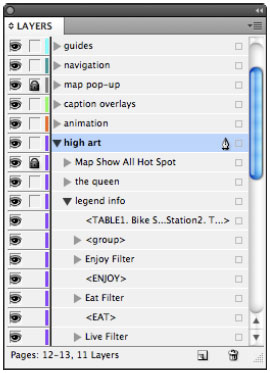
The revised Layers panel is more like Illustrator and Photoshop. Now it shows you all objects on each layer (before you could see only the name of each layer), and you can affect those objects by selecting, hiding, and changing them — all from within the Layers panel.
Track Text Changes
If you’re the only person who ever touches the text of your InDesign files, skip this feature. If you’re not, watch this video from Michael Ninness, an Adobe group product manager:
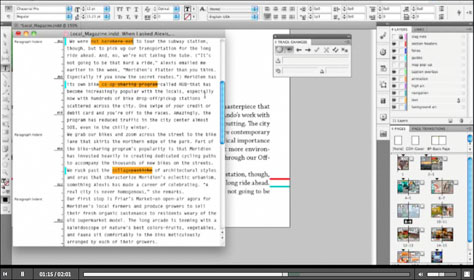
Another collaboration goodie: InDesign CS5 works well with CS Review, an Adobe online service that attempts to ease the pain of online commenting between members of a team and between the team and outside clients. The good news: InDesign automatically displays comments made online in your page layout. The bad news: At some point, Adobe will start charging for this online service. No details yet on when or how much.
Interactivity
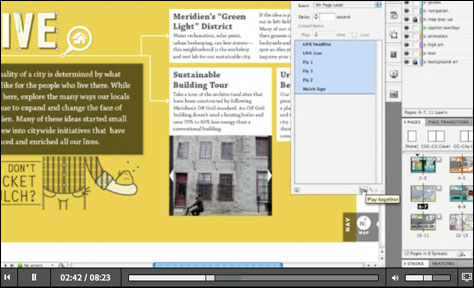
While InDesign CS4 included some features for exporting to Flash, the new version has many more. Because of Apple’s lack of support for Flash on its iPhone, iPod touch, and iPad, InDesign CS5’s Flash features aren’t quite as impressive as Adobe had hoped, the amount of interactivity you can create without coding is amazing. And there are still many circumstances where Flash output from InDesign is a great way for you to deliver ads, presentations, even mini Web sites that incorporate animation and interactivity.
The interactivity features include new panels for controlling Animation, Object States, Timing, and Media, and the ability to preview interactive elements in InDesign. Watch the following video for an interesting demonstration:
This article was last modified on December 14, 2022
This article was first published on April 13, 2010
Commenting is easier and faster when you're logged in!

Recommended for you
How to Balance Text Columns Automatically and with Baseline Grid
Bring balance to your InDesign spreads with this Text Frame Option.

Closed Captioning in Premiere
Add captions to your Premiere video to ensure everyone benefits from its audio t...

The Peter Kahrel Script Repository Gets a CreativePro Makeover
Peter Kahrel is one of the most prolific and influential InDesign scripters of a...