



Yes, like so many other geeks today, I too was flipping around all the live blogs to find the best one that covered the Apple’s extravaganza event, Steve Jobs’ announcement and demo of the iPad. You can see a video of the iPad in action and read all about its features on Apple’s web site. It’s not for sale yet, but it will be in a month or two.
To me, the most exciting news to come out of the whole thing is first, the new iBooks app that will run on the iPad:

Second, the new iBooks store (similar to their Apps store) where you will be able to download digital publications ?iBooks? to read in full color in the iBooks app on your iPad; and third, the fact that Steve said that the iBooks carried in the iBook store will be in ePub format.
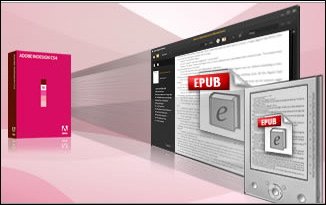
Because when I hear “ePub format” I think of InDesign, naturally! It’s the defacto ePub authoring tool:
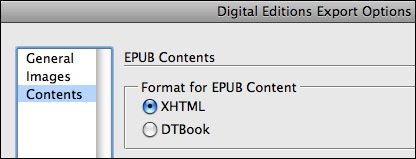
The ePub format?the open source standard for reflowable digital publications?was already a hot topic before today’s announcement. I mean, it was one of the main reasons we decided to put together the Print and ePublishing Conference (May 12-14 in Seattle); to share information and techniques (and secrets, of course!) of successful InDesign to ePub to eReader (device) workflows.
With today’s announcement, it’s even more imperative that InDesign users get on the ball with what the ePub format is all about. A good place to start is with a series of three new how-to guides from Adobe, collectively called Producing EPUB eBooks from InDesign.
(Note to Adobe: It’s a little too ironic that the guides are only available as PDFs. How about posting them as EPUBs too!)
This article was last modified on December 20, 2021
This article was first published on January 27, 2010
Commenting is easier and faster when you're logged in!

Recommended for you

Don’t Apply Character Styles to an Entire Paragraph
I just need to make something really clear: Don’t apply a character style to a w...

Speaker and Session Details Released for the Melbourne InDesign User Conference
A dynamic line up of Australian and International speakers and a diverse range o...
Tip of the Week: Keyboard Shortcuts for Document Presets
This tip was sent to Tip of the Week email subscribers on August 13, 2015. Sign...