



This past week a client was sharing a frustration that they were having with the alignment of fills on frames that had a large stroke.
They were trying to line up the fill of an object that had a stroke with another object that didn’t have a stroke. Since the align panel didn’t seem to be working for them, they were manually trying to line up the fills and it was becoming quite a chore for everyone involved.
To lineup the fills of the object I aligned the stroke to the inside. After selecting the two objects, I aligned their top edges.
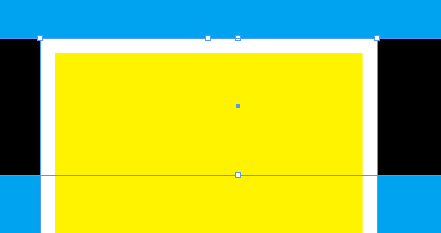
Now that the top edges are aligned, I can change the alignment of the stroke to the outside to achieve perfect alignment of the two fills.

After sharing this work around it made me think that the align panel should be enhanced at some point (CS5?) to allow alignment based on stroke or fill.
This article was last modified on December 17, 2022
This article was first published on February 15, 2009
Commenting is easier and faster when you're logged in!

Recommended for you

The affects and effects of effective Effects
In the world of page layout features there are the bread-and-butter features suc...
This Week in InDesign Articles, Number 14
It's been a while since I posted my "weekly" articles, so this one is a long lis...
Less is more for the Control panel
I learned something yesterday. There is a Control panel menu widget that opens t...