




This content is courtesy of The Russell Brown Show.
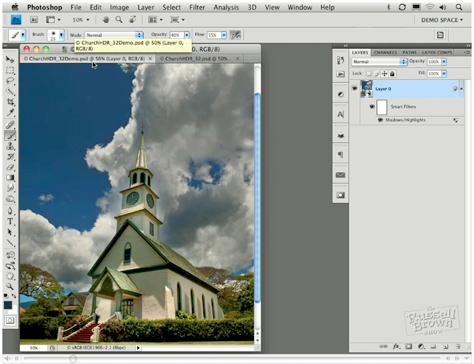
In this tutorial, I begin with the Merge to HDR command in Adobe Photoshop CS4 Extended. I use it to combine seven photos shot one stop apart. The resulting high dynamic range (HDR) image looks OK, but I think it could be better:

And in fact, I make it a lot better, painting in exposure to recover information in the clouds, converting it to a Smart Object, and more.
Learn how you can do the same with your photos by watching the video below:
This article was last modified on January 5, 2023
This article was first published on March 25, 2010
Commenting is easier and faster when you're logged in!

Recommended for you

How to Permanently Delete Cropped Data in a PDF
Have you ever tried to crop a PDF file, cutting out part of a page? It’s pretty...
CreativePro Video: How to Use Camera Raw in Photoshop
In the following CreativePro video, Michael Ninness shows us how to use Camera R...

Surreal Photoshop Effects: Swimming on Land
People swim in swimming pools. Or in the sea. But why limit ourselves to the obv...