




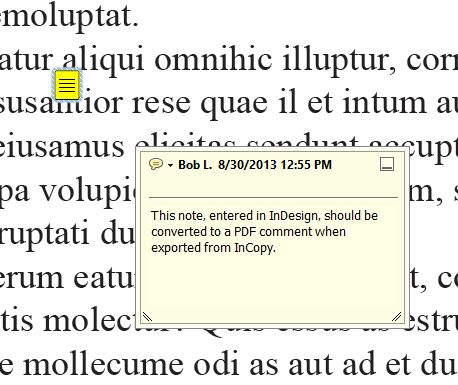
One of the things I pushed for when Creative Cloud was announced was the inclusion of InCopy. Besides being a great content editing companion program to InDesign it also has some features that even InDesign doesn’t have such as text macros and some editorial tools. My favorite and probably the most overlooked is the ability to export a PDF and convert the notes to PDF comments.
Here’s how it works.
Open the notes panel in InDesign (Window > Editorial > Notes). You can now add notes anywhere you have text and those notes will flow with the text. Just click the new note button on the bottom of the panel A small note marker will appear in the layout.
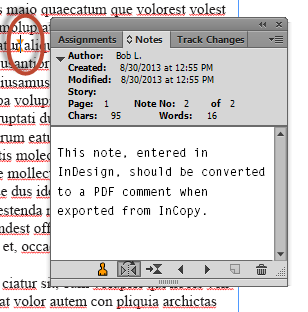
After saving the InDesign file, open it in InCopy (that’s right, just open the INDD file using the File > Open command). You’ll see an alert when you open the file because you don’t have any InCopy content in the file. Just close it. In this case you don’t need any InCopy content since we’re not going to edit the document.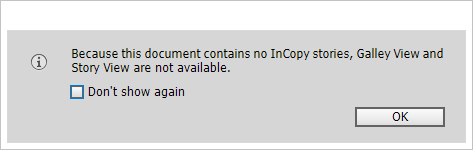
Your layout should look the same as it does in InDesign but you won’t have any editing tools available. Again, that’s okay.
All we want is a PDF so just as you would in InDesign, choose File > Export > Adobe PDF (print). Note that you won’t see anywhere near the number of choices of export formats that you would in InDesign.
Here’s where the “magic” happens. There’s an item in the export dialog that I have long wished was in InDesign:
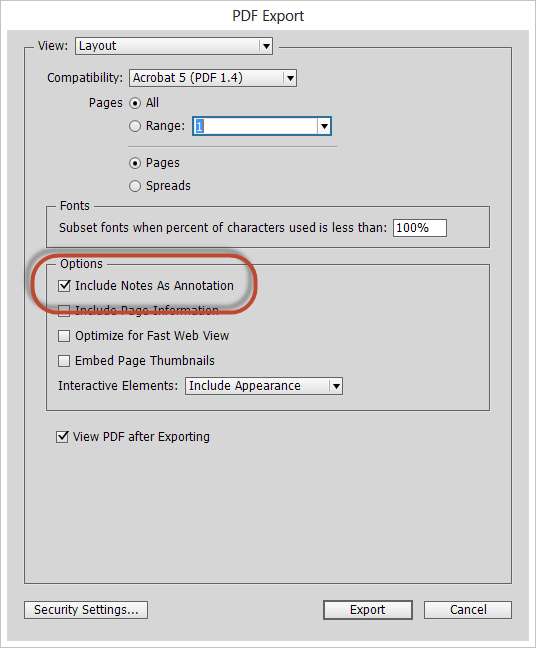 Choose export and when the PDF opens you’ll find your note(s) converted to comment(s):
 It’s that simple. And now that you know about this, maybe you’ll start exploring InDesign/InCopy workflows.
This article was last modified on December 30, 2021
This article was first published on August 30, 2013
Commenting is easier and faster when you're logged in!

Recommended for you

Creating Relative Hyperlinks in InDesign
How to set up folders and buttons so hyperlinks in PDFs exported from InDesign c...

How to Extract a Table from a PDF in Acrobat
Get your data out of a PDF and into an Excel Workbook with this quick Acrobat tr...

Save and Export Photoshop Files Effectively
Save, Export, Generate… Photoshop gives you so many ways to save files. How do y...