




A lot of applications that have a feature for finding and replacing text give you the option to see a list matches.
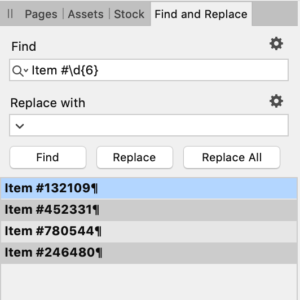
Sadly, InDesign is not one of those applications. However, there is a script by Marc Autret of InDiscripts that will create a simple text file listing the results of a GREP or Text search.
To use it, download the script here and install it.
Set up your query in the Find/Change dialog box. The script will look for a GREP query first and if none is found it will check for a Text query.
Run the script and it produces a plain text file with the results counted and listed in the order in which they were found.
You don’t get page numbers or other accompanying info. Still, pretty neat. Thanks, Marc!
PS: If you need the page numbers of found items, check out Peter Kahrel’s GREP Query Manager script.
This article was last modified on May 8, 2025
This article was first published on September 14, 2020
Commenting is easier and faster when you're logged in!

Recommended for you

GREP Query Manager
The script displays an overview of all your GREP queries and their contents. Que...
GREP Class Inserter
By clicking the @ icon on the GREP tab of the Find/Change window, you open a fly...
GREP Change Case (Pre-2024)
Using InDesign's Find/Change dialog, you can't change the case of what your GREP...