



During Liz Castro’s recent InDesign to EPUB webinars (Part 1 and Part 2) for InDesignSecrets, some of the attendees wondered why she used Terminal (OS X’s command line interface utility program) to do simple things like zip and unzip the EPUB files in order to edit its component CSS and XHTML files. On Windows, you don’t need to use a Terminal-like program. You can extract and re-archive the component files of an EPUB just like any .zip file. Not so on a Mac.

I wondered why Liz used Terminal too, to be honest. Nothing against UNIX, but why not just use an OS X shareware utility like Springy or BetterZip … two programs that let you edit the contents of zipped files without needing to unzip them first? Liz told us that she’s simply “never had any luck” with those programs; the EPUB files she ends up with won’t validate or won’t even open sometimes. Since Terminal is free, and she just needed to do a couple simple things with it, and most importantly, it worked … why not just use Terminal? Makes sense.
I’ve just learned of a couple free AppleScripts for extracting and rearchiving EPUBs on a Mac that should make Terminal-phobes happy.
I don’t want to link to the scripts directly here, since they’re hosted on another site: the MobileRead Forum, a must-follow community forum for anyone creating eBooks. EDIT Feb 15, 2016: Go to the first post in this forum thread and download the latest version of the Zip/Unzip Applescript (one script that does both) that author Paul Durrant has posted: https://www.mobileread.com/forums/showthread.php?t=55681 … OR, Mac/Windows users should download the free utility, eCanCrusher, by Rorohiko here: https://www.docdataflow.com/ecancrusher/ Just go to the EPUB Zip for Mac OS X thread there, and about five messages down you’ll see Dan Rodney’s post that includes a download link for the latest version of the two scripts: ePubUnZip1.0 and ePubZip1.0.3.
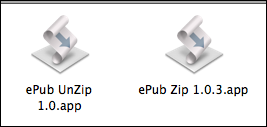
In his post, Dan says that these are his updates to the original ePub Zip script that another user, “pdurrant,” created. (Mr./Ms. Durrant runs a publishing company in the U.K. and is a prolific poster to the MobileRead forum.)
If Dan Rodney’s name sounds familiar, that’s because he’s the wonderful guy who gave us the Proper Fractions script for InDesign (now in ver 2.0, I see, and still available as both a free and a paid app). If you’re a Mac user, or an iPod or iPad user, you should check out Dan’s web site. He has a ton of great tips couched in one of the most simple and elegant web site designs I’ve ever seen this side of Cupertino.
But I digress. Mac users, after you unzip the ePubUnZip and ePubZip Applescripts, you can just double-click them in the Finder as needed. You’ll get an Open/Save dialog box asking you where the EPUB is that it should unzip (it extracts it all to a folder of the same name at the same level); or if you double-clicked the ePubZip script, you’ll be prompted to select a folder that contains your EPUB component files.
This article was last modified on December 20, 2021
This article was first published on December 2, 2010
Commenting is easier and faster when you're logged in!

Recommended for you

100 Great InDesign Tips
We scoured every past issue of InDesign Magazine to bring you the best of the be...

InDesign Object Styles Convert to DIV classes in EPUB Export
Paragraph and character styles convert to classes, so why shouldn't object style...

InDesign Magazine Issue 122: Cross-Media Color
We’re happy to announce that InDesign Magazine Issue #122 (June 2019) is no...