



TypeTalk is a regular blog on typography. Post your questions and comments by clicking on the Comments icon above. If Ilene answers your question in the blog, you’ll receive one Official Creativepro.com T-Shirt!
Q. An important job just came back from the printer with a hyphen in the middle of a word where it doesn’t belong. Is there a way to avoid those nasty hyphens that can appear unexpectedly when text reflows?
A. This can happen when someone enters a manual hyphen at the end of a line to tweak a rag, and then later edits make the text reflow.
The best way to avoid this major typo is to use a discretionary (soft) hyphen instead of a regular (hard) hyphen when making manual word breaks at the end of a line. A discretionary hyphen becomes invisible when not needed; that is, it appears only when the word in question is at the end of a line and disappears if the text reflows and the word in which it’s placed no longer needs to break.
To access a discretionary hyphen in InDesign, use Command/Control+Shift+hyphen. In QuarkXPress, use Command/Control+hyphen.
The discretionary hyphen also has a lesser-known but very useful function: Place it in front of a word (or a string of characters acting as a word), and the software will never hyphenate that word. (The hyphen, of course, remains invisible.) This is a good way to prevent email addresses, URLs, phone numbers, proper nouns, and words in headlines from being split in two by your application’s automatic hyphenation settings. Note: Quark 7.x only calls this a Word Joiner, which is a separate Special (nonbreaking) character.
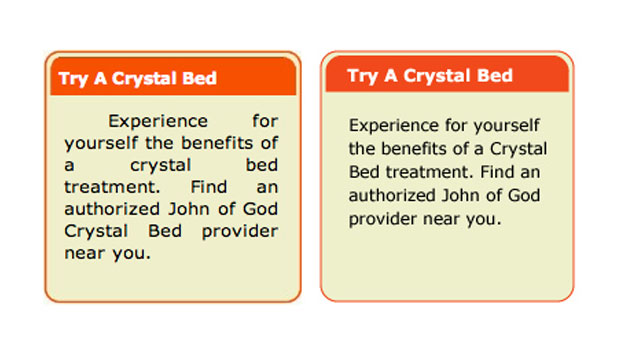
The upper example shows an undesirable line-break in the middle of a phone number. When a discretionary/nonbreaking hyphen is placed before the phone number, as indicated by the white box in the lower example, the phone number will not break.
This article was last modified on January 4, 2022
This article was first published on December 31, 2008
Commenting is easier and faster when you're logged in!

Recommended for you

TypeTalk: Stroking Text in QuarkXPress
TypeTalk is a regular blog on typography. Post your questions and comments by cl...
TypeTalk: Justification on the Web
TypeTalk is a regular blog on typography. Post your questions and comments by cl...

TypeTalk: Set Fractions Faster in InDesign
Q. Is there a quick, easy way to format fractions when you’re using fonts...