



Adobe has been quietly rolling out new features as part of their Publish Online service, which lets InDesign CC users upload their documents as freely accessible web documents. Because Publish Online is handled as a service, Adobe can update features without users having to update InDesign itself. For example, yesterday morning, they added an “Embed” button to the Publish Online screen:
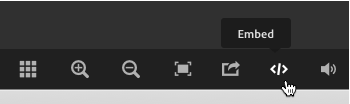
Of course, first you need to publish your document and view it in a web browser. Then you’ll see that icon. When you click it, InDesign provides an embeddable iframe code:
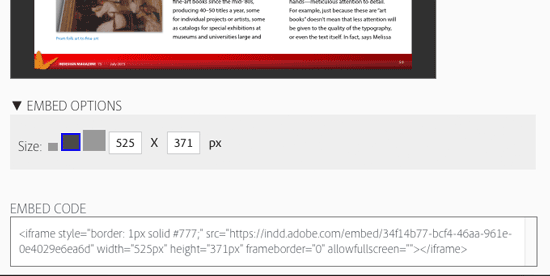
Just copy and paste that into your web page, and it shows up like this (click to view the document full screen and flip from page to page):
Of course, there are some caveats: You need to keep your Creative Cloud account up and running (because the document is published on Adobe’s CC servers); and because Publish Online is a work-in-progress (Adobe calls it a “technology preview”), it may change significantly over time.
That said, we’re really pleased that Adobe is continuing to improve Publish Online. It’s a terrific way to publish your InDesign documents and make them available to anyone with an internet connection.
This article was last modified on July 25, 2019
This article was first published on August 19, 2015
Commenting is easier and faster when you're logged in!

Recommended for you

Importing iWork or Excel or Anything Else Into InDesign
Karen writes: The charts generated by iWork Numbers are beautiful and I would li...

Publish Online Spotlight: American Craft Council Emerging Voices Awards Catalog
The American Craft Council highlights thinkers and makers in contemporary craft...
Thinking about Upgrading to Creative Suite 4? Think Fast.
It doesn’t seem that long ago that Adobe had the most liberal upgrade poli...