



You may be aware that I love conditional text. My latest creation is composed of four objects.

Layers
The shirt serves as the container for the conditional text squiggly. I had to add a space at the beginning in order to add a little kerning to get the squiggle to be centered on the shirt. Then I added right indent tab and applied a condition to it.
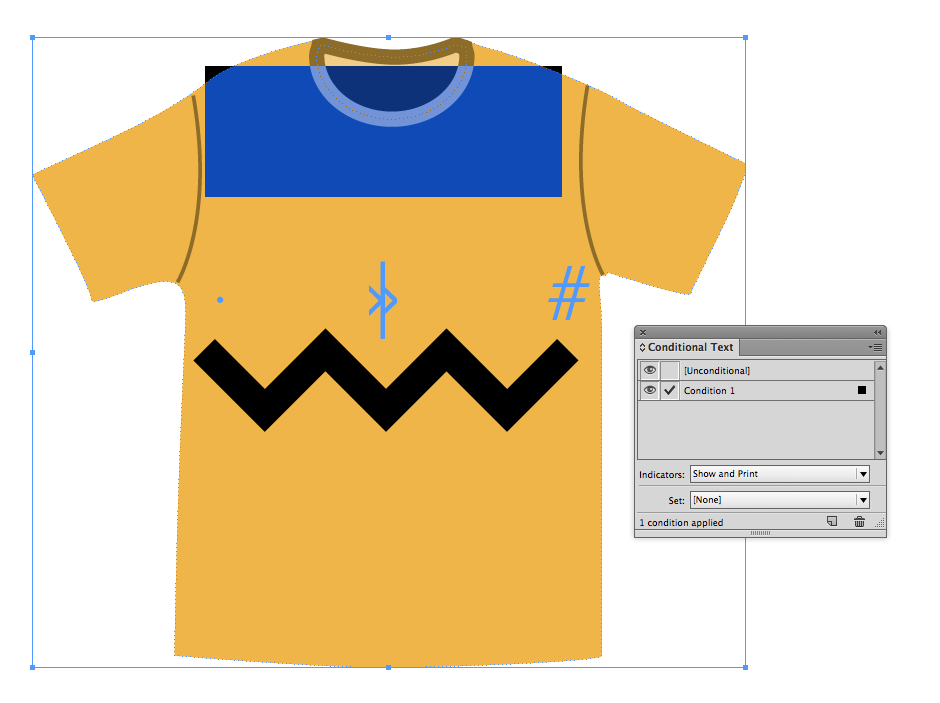
Conditional Text Squiggly
Because conditional text squiggles do not scale (meaning that the squiggle is the same size whether your font size is 2 pts or 200 pts), I had to make the shirt very small in order to get the squiggle to be the right size proportionally.

Transform Settings
The vertical placement of the conditional text squiggle is relative to the point size of the characters, so by making the characters very small I could place them vertically where they needed to be.

Character Settings
And for your amusement, here is the Conditional Text Charlie Brown Sweater, as an InDesign snippet.
This article was last modified on July 25, 2019
This article was first published on July 31, 2015
Commenting is easier and faster when you're logged in!

Recommended for you

How to Turn Off InDesign’s New Welcome Screen
One of the features that recently debuted with the English version of InDesign C...

Ruling headers… (or, Placing a Rule Behind a Header)
Consider this part 2 in the series 'working with text on a tinted background'!
The affects and effects of effective Effects
In the world of page layout features there are the bread-and-butter features suc...