




Zevrix Solutions today announced the release of Graphic Inspector 1.5, a quality control solution which provides extensive info on entire folders of graphic files and helps locate potential problems according to specific workflow requirements.
Graphic Inspector provides a professional quality control solution for users of any trade, whether it’s print, prepress, web design, electronic publishing or digital photography. With Graphic Inspector, users automatically get crucial information on multiple raster and vector files, saving hours of manual checking and eliminating costly mistakes. Graphic Inspector will display the file kind, color mode, resolution, compression, color profile, spot colors, fonts, metadata and other attributes.
With its powerful Checkup Presets, Graphic Inspector lets users create custom control settings tailored to their various workflow requirements, and quickly locate files with unwanted attributes. For example, users can make Graphic Inspector warn them about all files whose color mode is RGB, format – JPEG, resolution is below 200 dpi, ICC profile doesn’t contain “USWebCoated” etc.
The new update, Graphic Inspector 1.5, lets users define favorite folders, provides more reliable and complete info on native Adobe Photoshop files, improves processing speed, and brings numerous interface improvements and bug fixes.
Pricing and Availability:
Graphic Inspector 1.5 can be purchased from the Zevrix Solutions web site for $39.95 USD, as well as from authorized resellers. Demo is also available for download from their website. The update is free for licensed users of previous versions. Graphic Inspector 1.5 is Universal Binary and available for Mac OS X 10.4.2 and later (Leopard compatible).
https://zevrix.com/GraphicInspector.php
This article was last modified on January 18, 2023
This article was first published on July 7, 2008
Commenting is easier and faster when you're logged in!

Recommended for you

Index Fixes: No Styling in Topic Names
Topic names cannot natively be styled in the Index panel. However, a simple solu...
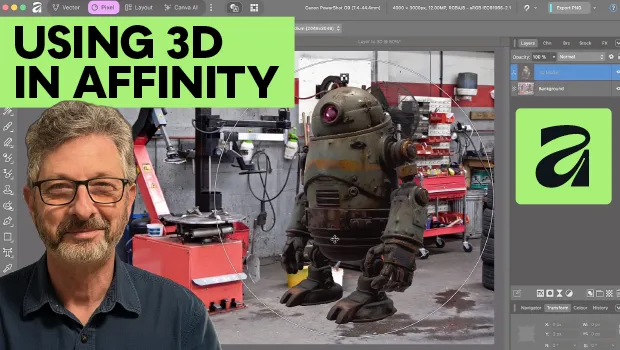
Using 3D in Affinity
Create rotatable 3D objects using Affinity and Canva AI with Steve Caplin.

Use Bridge to Find and View All Linked Assets in an InDesign File
Quickly find and collect every linked asset in your InDesign project using this...