




In the latest InDesign Secrets video at lynda.com, Anne-Marie Concepción shows off a new feature in InDesign CC that allows you to create interactive pop-up footnotes in reflowable EPUB files. And it couldn’t be easier. There’s nothing special you need to do in InDesign. Just set up your footnotes as usual, and then choose the right options when you export to EPUB. Then, when folks are reading your ebook in Apple’s iBooks, they can tap on the footnote reference number to see the text of the footnote in a little pop-up display.
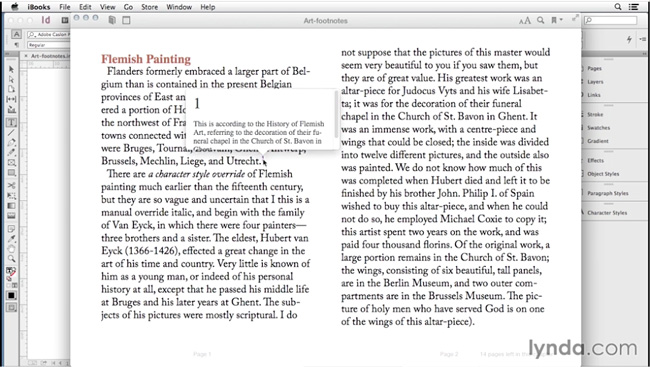
Note that iBooks is currently the only eReading software that supports this kind of pop-up footnote. You also can’t control the formatting of the text inside the pop-up from InDesign. For that, you’d have to crack open the EPUB and edit the code. Still, pop-up footnotes are fun, useful, and open up lots of creative possibilities for interactivity in EPUBs.
So check out the InDesign Secrets video series at lynda.com, and get up and running with pop-up footnotes for EPUBs.
This article was last modified on March 5, 2025
This article was first published on October 17, 2014
Commenting is easier and faster when you're logged in!

Recommended for you

CreativePro Ask the Expert Video: Laurie Ruhlin
In this week’s CreativePro video, David Blatner chats with Laurie Ruhlin, Adobe...

CreativePro YouTube Channel Launched
We are thrilled to announce the launch of the all-new CreativePro YouTube channe...

Dynamic Endnotes
Convert endnotes (both static and dynamic) to InDesign's (dynamic) footnotes.