



When Quark was in the process of concepting and engineering QuarkVista (also known as Picture Effects), the company surveyed users to discover which adjustments and filters they applied to pictures in Photoshop. Quark chose the 80% most-common tasks and wrote a non-destructive effects engine that duplicates Photoshop’s effects in XPress. By “non-destructive,” I mean that applying an effect doesn’t alter the original picture file, but rather adds an effect instruction within QuarkXPress that you can alter at any time. (This is similar to Photoshop’s Adjustment Layers.) You can also apply multiple effects in a reordable sequence, which makes it much more pleasant to experiment with different effects. When you’ve achieved an effect you like, you can save your combination of effects as a preset to use on other pictures.
What happens to your image files: Picture Effects are applied to the picture either when printing, when outputting to PDF or EPS, or when you want to create a new picture file with your effects permanently applied to it.
Applying Picture Effects: If you use Picture Effects, there’s a point of no return when you must apply the effects to one or more images. This point can relate to Collecting for Output. When you Collect for Output, you have one of two goals: to collect all the pieces necessary to output a Project; or to collect all the pieces necessary to edit the Project in another location. QuarkXPress 7 has options to suit both of these goals. If your goal is to output the Project, you can choose to either apply your Picture Effects immediately to new copies of the picture files, or to maintain them as a list of effects to be applied to the original picture files when output. Applying the effects immediately minimizes the time required to RIP the QuarkXPress Project during printing. Conversely, leaving the picture files untouched maintains editability of those pictures within QuarkXPress.
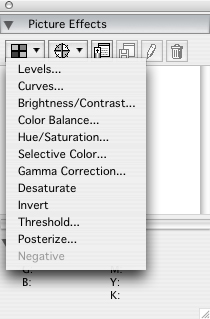
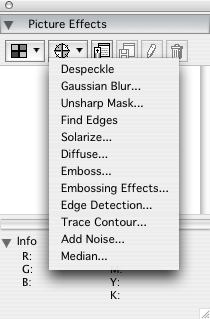
The ability to adjust images in QuarkXPress may seem silly since most QuarkXPress users will also have Photoshop, but the impact of the Picture Effects feature can be huge. By using Picture Effects, you can adjust images while viewing them in the context of the page, rather than isolated within a Photoshop window. Your adjustments are not permanent and you can change them at any time. Also, because you can save combinations of effects as presets, you can uniformly apply them across multiple pictures in any number of projects, and even share them with co-workers.
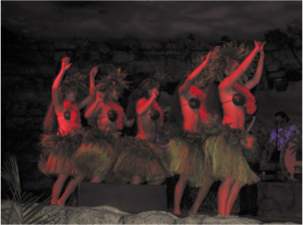
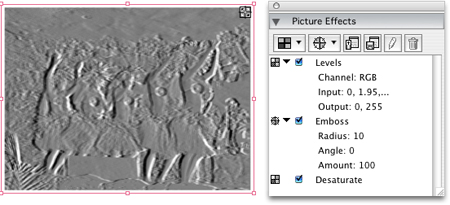
The photo below was unsalvageable for use as a photo, but I still wanted to use it.
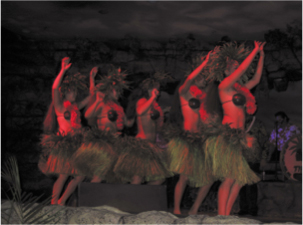
With a few Picture Effects applied, it became an embossed piece of wall art (see below). Because I like the effect, I saved it as a preset for use on other pictures in other projects.
Money Saved Is Money Earned
Not every QuarkXPress user has Photoshop — many agencies don’t want to spend hundreds of dollars every year to buy and upgrade Photoshop for every employee who uses QuarkXPress. The Picture Effects feature brings much of the creative power of Photoshop to every QuarkXPress user without requiring an additional ongoing financial investment.
You can find more on QuarkVista and how to use it at https://creativepro.com/story/feature/23508.html.
This is a sidebar to the article “QuarkXPress 7: Public Beta Explored.”
This article was last modified on December 17, 2022
This article was first published on January 26, 2006
Commenting is easier and faster when you're logged in!

Recommended for you
CreativePro Video: How to Use Camera Raw in Photoshop
In the following CreativePro video, Michael Ninness shows us how to use Camera R...

Scanning Around with Gene: When Sparks Fly
I suspect every American kid, especially every boy, has vivid memories of Fourth...

Creating a Retro Comic Book Effect in Photoshop
How to turn any photo into a comic book style image