


QuarkXPress How-To: Time for a Paint Job



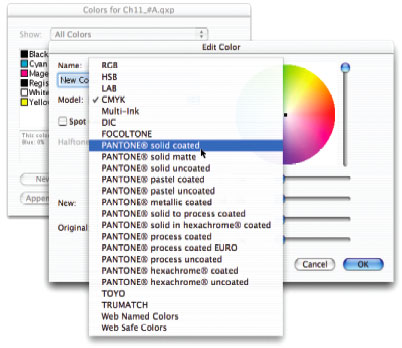
Color can make or break your design. If that rustic red tint instead comes out as a pallid pink, you’re in trouble. On the flip side, savvy designers can stretch their budgets with tricks like simulating spot color in CMYK jobs. This excerpt from “QuarkXPress 6 Killer Tips” leads you through the color maze and shows you how to set up colors, apply and modify them, blend them, and manage them.
To begin downloading control- or right-click the link “Quark Paint Job.” Please note that this file is 9.6MB
To open the PDF, you’ll need a full version of Adobe Acrobat (5 or higher) or the Adobe Reader, which you can download here:
 .
.
To learn how to configure your browser for viewing PDF files, see the Adobe Reader tech support page.
Excerpted from pages 181-192, “QuarkXPress 6 Killer Tips” (ISBN 0-7357-1303-0) by Eda Warren. Copyright © 2004. Used with the permission of Pearson Education, Inc. and New Riders.
This article was last modified on January 10, 2022
This article was first published on April 26, 2005
Commenting is easier and faster when you're logged in!

Recommended for you

Photoshop Automation
A basic introduction using actions, scripts, and data driven graphics to make yo...

Quark Keys in on Certified PDF Workflows in Alliance with Enfocus
Quark Inc. today announced a strategic alliance with Enfocus Software, provider...

Interview with Lisa Marie Grillos, Presentation Rockstar
Q&A with Lisa Marie Grillos, who is presenting Learning to Live with Goggle Slid...