



“It was about eleven o’clock in the morning, early in March, with the sun not shining and a look of hard wet rain in the clearness of the foothills. I was wearing my….” OK, different detective story!
I was reading messages on the InDesign Macintosh User to User Forums, and came upon this question from Fray:
My short cut Command+Option+5 is not working to get to the zoom percentage box. I’m updated to 6.0.1 and OS X 1.0.5.6. Repaired permissions. (It’s also not working in CS3.) I even tried assigning a new command to it and it still will not work.
Time to put on my sleuthing outfit: I opened up InDesign CS4 (6.01) on my MacBook Pro, and found that even though the keyboard shortcut appeared in the list in Edit > Keyboard Shortcuts in the Views, Navigation Product Area, the keyboard shortcut indeed wasn’t working. And changing the shortcut made no difference at all.
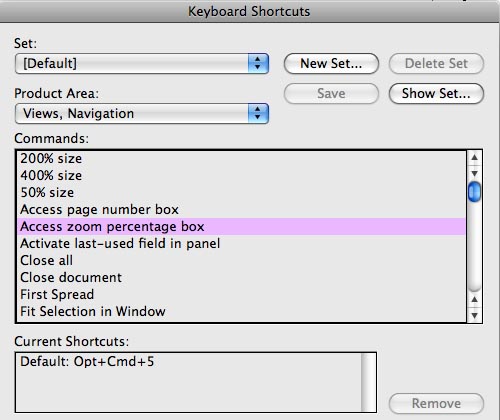
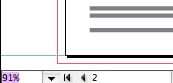
Next, I opened up InDesign CS3, found the same keyboard shortcut, but there it did work to highlight the Zoom Percentage field in the Status Bar at the bottom of the window.
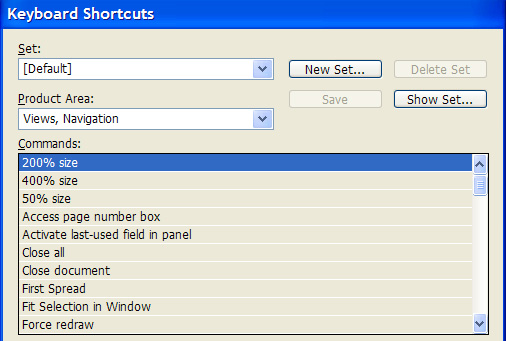
But now, there was a strange turn of events: I turned on my trusty old Window XP computer, and cranked up InDesign CS4. I went to Edit > Keyboard Shortcuts, and, in the very same version of the application?InDesign CS4 (6.01)?there was no such shortcut! Mystery of mysteries: It had vanished!
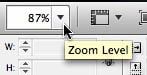
It was time to bring in another detective. On another forum, I put out the call for help. To the rescue came famed slueth, Jean-Claude Tremblay, from Quebec, Canada. He pointed out that I no doubt had the Application Bar turned on on the Macintosh. With the Application Bar open, the Zoom Percentage Field appears there.
He wisely observed that:
The shortcut Cmd-Opt-5 is only working when the application bar is off and the zoom field return to the bottom left [Status Bar]. Seems like the shortcut was never hooked to the Zoom Level field in the Application Bar.
The problem is solved! To make the keyboard shortcut work, you must turn off the Application Frame (Window > Application Frame). Once you do that, you can also turn off the Application Bar (Window > Application Bar). That returns the Zoom Percentage Field back to the Status Bar.
However, I think that this is also a bug which must be fixed. The shortcut should also work when the Zoom Percentage Field is in the Application Bar.
This article was last modified on December 19, 2021
This article was first published on March 6, 2009
Commenting is easier and faster when you're logged in!

Recommended for you

Updated Free Live Preflight Profiles for CS4 and CS5
The free preflight profiles available from VIGC have been improved and expanded.
Creating Styles: My Favorite Small CS4 New Feature
Often it's the little things you love the most, and InDesign CS4's new method of...
Find/Change with Conditional Text
Conditional text is one of the coolest new features of CS4. You can even apply c...