




Want to save time and aggravation in PowerPoint? Instead of having to change your theme every time you want to use a custom one you have stored, set it as default! Here’s how.
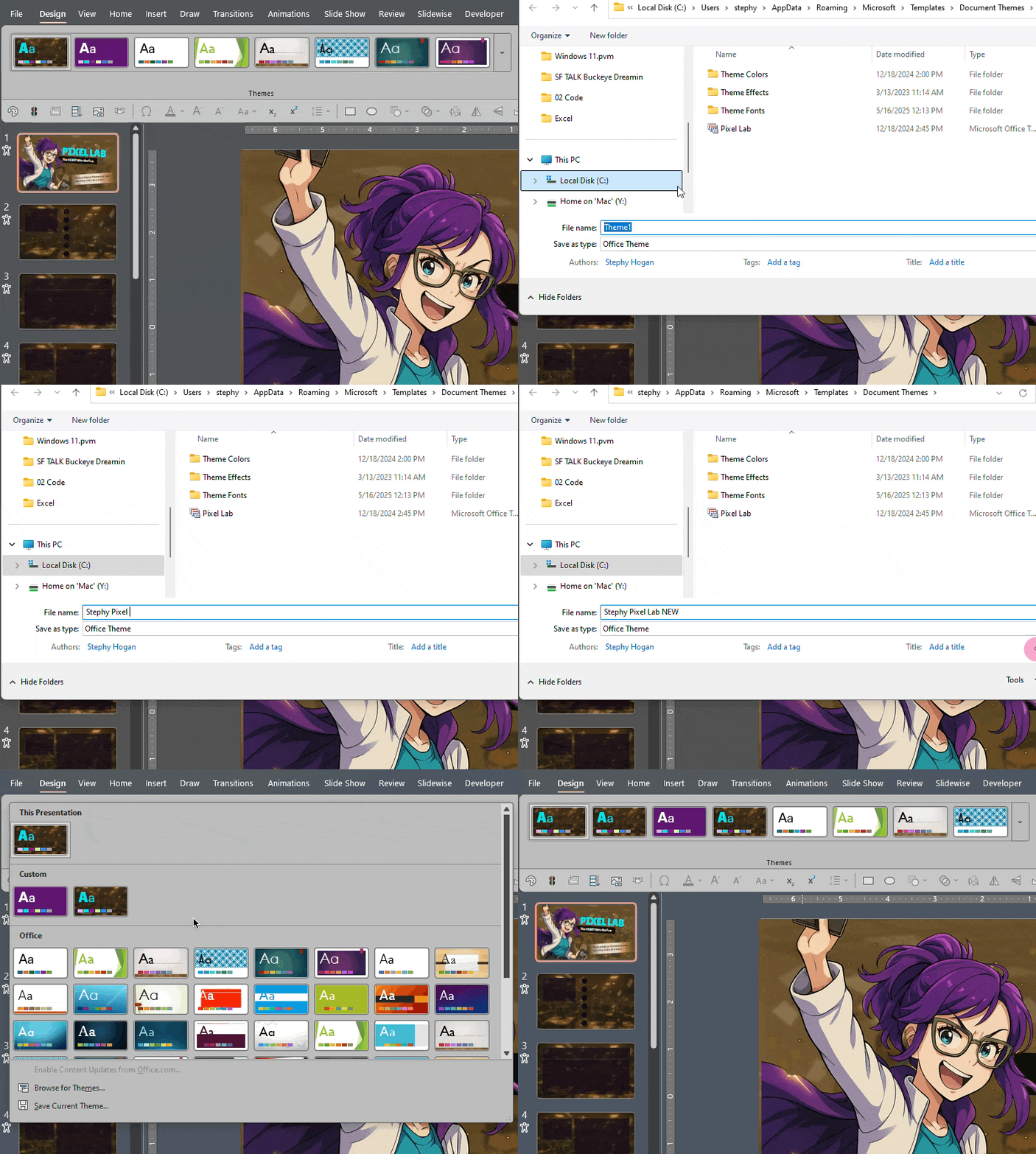
First, save your custom theme by going to the Design Tab > Themes dropdown and right-click on the theme in your current presentation.
Choose Save Current Theme at the bottom.
Then go back to that same dropdown, right-click on your custom theme and choose Set As Default Theme.
This article was last modified on October 30, 2025
This article was first published on March 7, 2025
Commenting is easier and faster when you're logged in!

Recommended for you

PowerPoint Accessibility Checklist
Use this checklist to evaluate your slide deck content for usability.
Photoshop Downloadable: Top Tips Ebook
A compendium of CreativePro tips, tricks, and techniques for Adobe Photoshop

CreativePro Week Preview: 5 Presentation Power-Ups
Our Editor in Chief shares his list of five sessions on Illustrator and Photosho...