




CreativePro’s third annual Design + Accessibility Summit is coming soon! It’s one of our biggest events of the year, packed with key information from world-class speakers in two dozen sessions. Here are six that I really can’t wait to check out.

Accessibility 101
Enid Brown
When learning any new material, you need to start with a strong foundation of fundamental concepts. And even if you’re already a seasoned pro, chances are there are still little gaps in your knowledge, from things you never learned or simply forgot. So, it’s perfect that we’re kicking things off with Enid Brown’s Accessibility 101 before diving into more advanced topics.
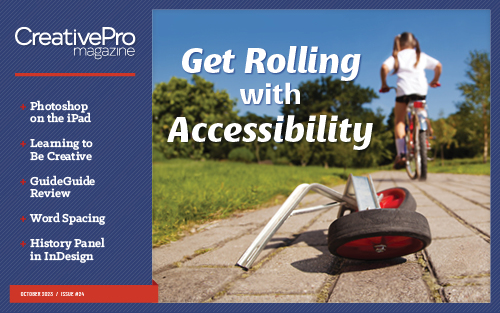 By the way, the feature article of issue 24 of CreativePro Magazine is all about getting started with accessibility! It makes a great complement to Enid’s session, so be sure you don’t miss it.

Writing with Accessibility in Mind
Sheri Byrne-Haber
As Editor in Chief of CreativePro, I spend a lot of time working with words. I try to ensure that everything we publish contains clear, accurate, and useful information. But I must confess that I don’t think about accessibility as much as I should at the writing stage. It’s time for that to change, and I think Sheri Byrne-Haber’s session can have a positive impact not only my own writing, but everything we publish here at CreativePro.

Screen Readers: Design and Testing Fundamentals
Dax Castro
I’m not a chef, but I do enjoy cooking. And I know that one of the keys to success in the kitchen is to taste what you’re making as you go. That way, there won’t be any unpleasant surprises at the table. The same goes for many other creative endeavors. You can do your best to follow the instructions but the only way to really know if you got something right is to sample it. The same goes for accessible content. Dax’s session on screen readers will go a long way to helping us all understand the real-life impact of our design and editorial choices with regard to accessibility.

Where It All Starts: Creating Accessible Word Docs
Shawn Jordison
Across all industries, at companies large and small, Microsoft Word is the place where much of our content is created and shaped. So, doesn’t it make a ton of sense to incorporate best practices for accessibility right from the start of your workflow, in Word? I sure think so, and I’m very interested to learn Shawn’s techniques for ensuring Word documents are well-structured for accessibility and efficiency.

AI + Accessibility: Imagining What’s Possible
Caroline Desrosiers
This is the Year of AI, so it should come as no surprise that technologies that incorporate machine learning are going to have a big impact on accessibility. And the fact that it’s all happening so quickly makes it very hard to keep up with the latest developments. Fortunately, we have Caroline Desrosiers on hand to make sense of it all and offer her insights into how we might harness the power of AI to automate accessibility-related tasks.
Designing Awesomely Accessible Emails
Najee Taylor
It’s a fact of life: we all have to use email every day. And whether you’re an “inbox zero” person or someone with 726 unread emails, you need to know how to apply accessibility principles in your emails if you want your message to reach the largest possible audience. Najee’s going to share techniques that can have a positive impact on your designs—and your bottom line.
See you there!
Of course, there’s even more to The Design + Accessibility Summit. With 24 sessions by world-class speakers, it’s going to be an amazing event. I hope you’ll join us online November 14-17. You can learn more about all the great topics and speakers and sign up here.
This article was last modified on October 17, 2023
This article was first published on September 26, 2023
Commenting is easier and faster when you're logged in!

Recommended for you
Designing Books
In in-depth look at the process of designing a book from start to finish, throug...

Real World Tips for QuarkXPress 5: Selecting Items on Layers
Excerpted from “Real World QuarkXPress 5” (Peachpit Press). Peachpit...

This Week in InDesign Articles, Number 34
From sunny Las Vegas, a host of posts for your InDesign enjoyment