




On Adobe’s InDesign forum, a designer brought up an interesting shortcoming (as she saw it) in the program: There is no way to use the Redefine Style feature for a Character style that’s been applied via Nested Styles.
Redefine Style only works when a plus symbol appears after a highlighted style name in the relevant styles panel, indicating formatting overrides. Choosing the command modifies the style so it incorporates the overrides in its definition, updating other styled text in the layout to match the new specs.
Here’s a simple example. The bold and green character style “Grade” has been applied to each of the grade levels below. The cursor is in one of these instances, so the Character Styles panel highlights the style name:
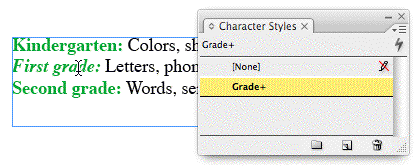
Notice that there’s a plus symbol following the style name, indicating that the styled text surrounding my cursor has had some local formatting applied — in this case, I made the text italic.
If I decide I prefer the look of the italic text for the style, I don’t have to edit the style manually to change it. Instead I can choose Redefine Style from the panel menu:
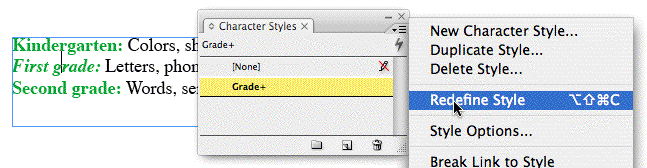
Doing so prompts InDesign to incorporate my local overrides into the style definition. Immediately the plus symbol disappears and all other text styled with the Grade character style updates to reflect the new specs:
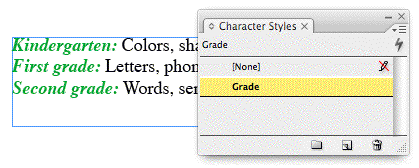
A handy feature, indeed — especially if you’ve done so much tweaking to the text that you can’t remember it all. It’s a feature that the designer relied upon all the time to help her apply final touches to her styles.
As she said, though, it breaks down when Character Styles have been applied via a Nested Style.
In the example below, I created a Paragraph style called “Description” and nested the Grade character style within it (Grade/Through/1/:). When I applied the Description style to the three paragraphs, the Grade character style was automatically applied.
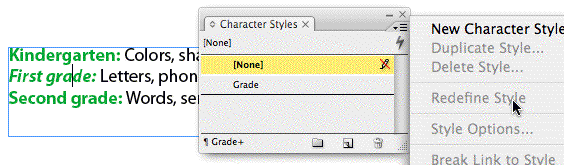
Since nested character styles are identified differently than regular ones in the panel (their names appear at the bottom of the panel instead of getting highlighted), Redefine Style is grayed out when you apply local formatting. It thinks there’s nothing to redefine, because [None] is highlighted.
Bug or feature? Who knows. I’d call it an “unfortunate conflict.”
Happily, there’s a simple workaround: Apply the character style manually to an instance of the already-styled text. A double-hit of the style, in other words. Then when you start playing around with local overrides, InDesign obligingly adds a plus symbol after the highlighted character style name:
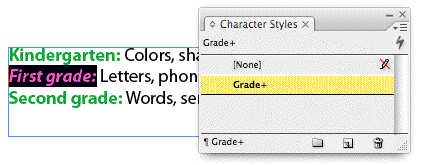
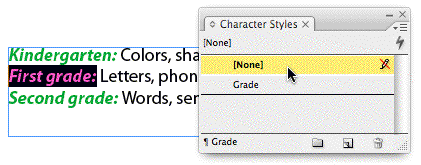
Now you can choose Redefine Style, and all the nested style instances update accordingly. When you’re done, you can choose the [None] style again for the selected text to keep things kosher:
This article was last modified on December 18, 2021
This article was first published on February 12, 2008
Commenting is easier and faster when you're logged in!

Recommended for you

Using Photoshop’s Content Aware Scale and Content Aware Move
Speaking Photoshop This article is an excerpt from Speaking Photoshop CS6...

CreativePro Week Conference Speaker Spotlight: Chad Chelius, the Walking Encyclopedia for EPUBs
Welcome to our Speaker Spotlight series, designed to highlight some of our Creat...

Masterfile Launches "People's Choice" Search
For several years Masterfile has been aggregating the actions performed on every...