




[Note that this issue has been (mostly?) fixed. See the link here in the show notes for Podcast 176.]
What the heck is wrong with the Adobe Application Manager?! I have a Creative Cloud membership, I downloaded InDesign CS6, and it all seemed to be going so well. (The installation process is so much better/easier with the C.Cloud!) But for some reason, almost every time I launch InDesign now, the Adobe Application Manager launches, too… and then it asks me if I want to use a trial version or license the software:

Sometimes it says I have 21 days left on my trial. Sometimes the number changes. A couple of times it told me I had -1 days. (That was disconcerting!)
I could click Continue Trial, and InDesign does keep working (but as a trial). The solution appears to be to click License This Software and sign in.
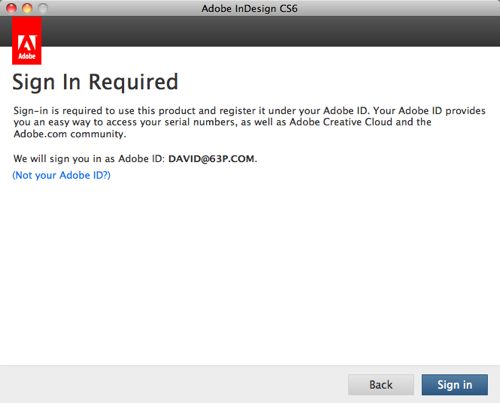
It’s not the end of the world, I suppose, but it is getting pretty annoying.
Of course, it’s even more annoying when I’m not connected — like when I’m sitting on an airplane. Then Adobe alerts me that an internet connection is required for subscriptions:
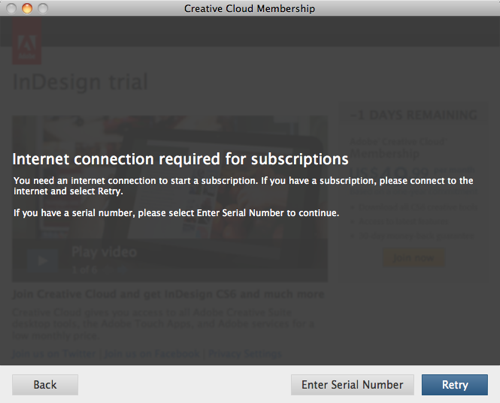
The wording is unfortunate, because it appears that InDesign won’t work, but you can click Back and switch to the Trial version. The trial will work for a while just fine. Then, you can quit and relaunch and start over again next time you’re connected.
I thought maybe it was a problem with my subscription, but when I log in to my Adobe.com account and check my subscriptions, it seems to be working fine:
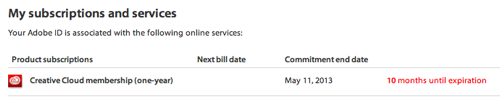
So why does InDesign keep checking — far more often than it should? (It should check once a month, not daily!) It’s a mystery. One possibility is that it’s because I have CS5 and earlier on my computer, and that makes the application manager confused. Another possibility is that it’s a “character building exercise” and Adobe is just encouraging me to grow into a more mature and patient individual. So far, it’s not working.
I’m looking forward to a fix. But in the meantime: if you find yourself staring at these alerts each time you launch the program, at least know that you’re not alone.
This article was last modified on December 21, 2021
This article was first published on June 30, 2012
Commenting is easier and faster when you're logged in!

Recommended for you

Naming Items in the Layers Panel
Back in the day, before a laptop became my main work machine, I used to put stic...
Camelot2: The Next Big Thing for Interactive PDF?
[A version of this article was originally published on LinkedIn.] If you’v...

How to Choose the Right Image File Format for Print
Excerpted from Real World Print Production with Adobe Creative Cloud b...