



The Mac’s QuickLook feature is pretty handy for previewing files before you open them. Just select a file in the Finder, tap the spacebar and you can see inside image files, Office documents, HTML files, QuickTime videos, fonts, PDFs, etc. But it won’t work with something like an InDesign file. There are free QuickLook plug-ins you can install like inddQLgenerator that will give you a basic preview of InDesign files in the Finder. Or if you want a more extensive preview, including the fonts, images, and swatches used in a document (and you’re willing to shell out a little money) check out Art View.

For $25 you can have QuickLook previews of InDesign documents (including the option to view speads), Illustrator files, Adobe Swatch Exchange files, and even FreeHand files.

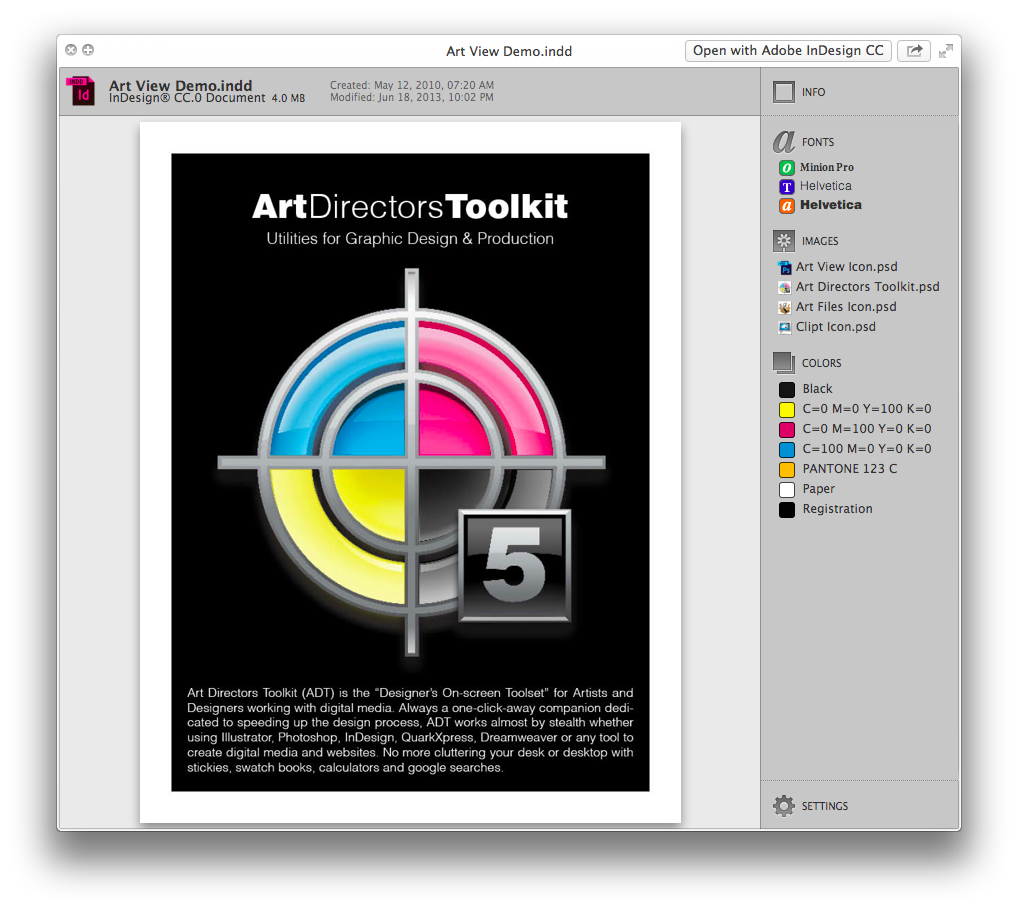
Because it works with the Mac’s Finder, Art View will work even on machines where the Adobe apps are not installed. And you can use it to reveal the fonts and images used in a file in the Finder.
You can get Art View in the Mac App Store, and there’s also a 15-day free demo you can download and try out.
Bonus tip: Mac users, if you ever wished you could see inside a compressed archive without de-compressing it, check out The BetterZip Quick Look Generator.

This article was last modified on July 20, 2021
This article was first published on October 21, 2013
Commenting is easier and faster when you're logged in!

Recommended for you

Adobe Announces PDF Print Engine 3
Adobe has announced a new version of the PDF Print Engine, the platform used to...

Create Stunning Slideshows with FotoMagico
If you’re a Mac-using photographer looking for a way to showcase your work in pr...

ShutterSnitch, the Wireless Photo Assistant for iOS
The iPad offers several advantages for photographers. Compared to a laptop, it t...