



Steve wrote: “Can you tell me why some of my index references are in parentheses and some are not? What does that mean?”

Parentheses around page numbers in the Index panel indicates that Suppress Page Range was selected for the “Type” in the Page Reference Options dialog box when the index entry was created.
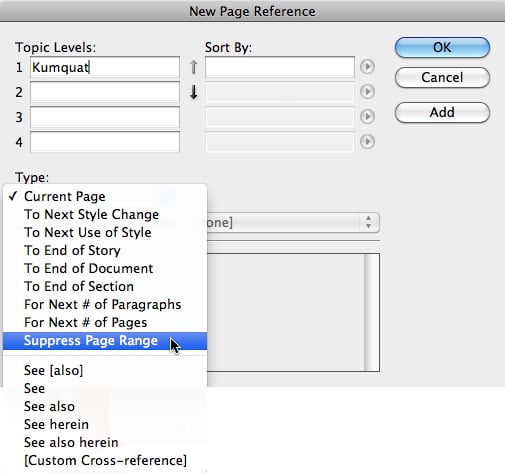
Choosing Suppress Page Range will cause the page number to appear in the Index panel, but the page or page range will not appear in the final generated index.
This article was last modified on December 21, 2021
This article was first published on November 16, 2011
Commenting is easier and faster when you're logged in!

Recommended for you

How to become an Adobe Certified Expert (ACE)
Keith, who has taken many more Adobe Certified Expert (ACE) exams than he cares...
Turning on the preference for “Text Wrap Only Affects Text Beneath.” Yes or No?
About a month ago I got a file from someone that showed text that was rasterized...
This Week in InDesign Articles, Number 15
Some cool new technologies, some good videos, and some fun tips!