


New software to convert InDesign books to fixed layout ePUB
Keith tries out a new program that creates fixed layout ePUB files directly from InDesign.


Circular Software has just released CircularFLO, a solution for automatically creating fixed layout ePUB files from InDesign layouts. (Fixed layout ePUB is a variant of the ePUB standard that is viewable only on an iPad, iPhone or iPod Touch. Fixed layout ePUB can be used for graphically rich content where you don’t want the text to wrap to the screen size of a particular device.)
CircularFLO is a Macintosh-only program that requires you to have Creative Suite CS5.5 Design Standard installed. The learning curve is really low. To convert an InDesign file to fixed layout ePUB, you just create an InDesign Book file containing a special “cover” file as well as one or more content files. Then you launch CircularFLO, press the “Create Fixed-Layout EPUB” button, and wait. The process is slow (approximately 5 pages per minute). When it’s finished, a complete ePUB is produced and loaded into iTunes, ready for you to preview on your i-device.
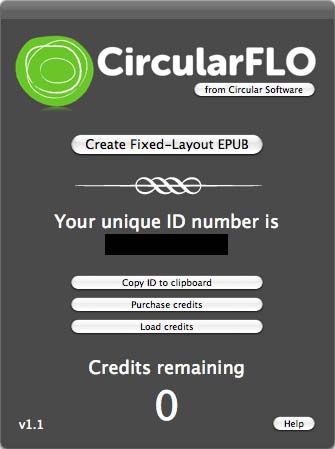
Each page of the resulting ePUB file should look exactly like your InDesign layout. There is no need to worry about fonts or unsupported effects. This is because CircularFLO uses InDesign, Photoshop and Illustrator to rasterize each InDesign page into a pixel-perfect JPEG image. The completed ePUB file is a “wrapper” around a series of JPEG files with the accompanying text stored in HTML format, along with some other supporting files. Even though the final ePUB file is a series of JPEG images, the text is still searchable.
CircularFLO even lets you build a table of contents for your ePUB by inserting Section Markers in your InDesign file. There is no support for interactivity or rich media in the ePUB files created by CircularFLO.
Unfortunately, the only file on the iBooks store that Cingular is highlighting as an example of an actual CircularFLO project is 40 Short Walks in Surrey which is only available to download in Great Britain. So if you want to see the results of CircularFLO, you’ll need to try it for yourself. You can download CircularFLO free. It will create a completed watermarked EPUB of the first 10 pages of any InDesign file.
In my tests, the finished ePUB files were precisely faithful to the InDesign originals. The ePUB files worked well on both my iPad and iPhone.
The biggest drawback to CircularFLO that I can see is in the extent of the text searchability. See the screenshot below.

Imagine that we want to search for the word “physiology” or the phrase “white stripes”. In an ePUB created with CircularFLO from this layout, neither would be returned as a match. This is because of how CircularFLO stores the internal representation of the searchable text as HTML. See the screenshot below.

In this sample of the HTML code produced by CircularFLO as part of the ePUB file, you can see that each line of the InDesign text creates a separate line of code in the HTML. So the ePUB search function will only search these single lines. Words or phrases that span a line will not be matched accurately. This may be acceptable for certain types of books where a robust search isn’t critical. But this needs to be improved to make this tool useful for a wide variety of projects.
CircularFLO is priced on a “per file” basis. The current price is $199 USD per ePUB file produced.
This article was last modified on January 18, 2023
This article was first published on November 9, 2011
Commenting is easier and faster when you're logged in!

Recommended for you
Three Small TOC Tricks
A table of contents can be a list of almost anything in your document; but somet...
Musings on the New Technologies
I just got an invitation to attend my high school reunion. (I won’t tell y...
Copying/Pasting Text from PDFs to InDesign
The other day I needed to copy a paragraph of text from a client-supplied PDF in...