




Excerpted from Deke’s Techniques on lynda.com.
Starbursts are very popular in layouts and illustrations of all sorts, and that’s a problem. You don’t want to look like everything else! But that doesn’t mean you need to give up starbursts — customize them instead.
In this tutorial video, I’ll show you two ways to make unique starburst shapes. The first relies on “path wigglers” in the Effect menu, including Roughen Up, Distort & Transform, and Pucker & Bloat:

You can modify these path outline effects in the Appearance panel after applying them.
I then use something new to CS5, the Crystallize tool inside the Width tool, to create this stellar standout:
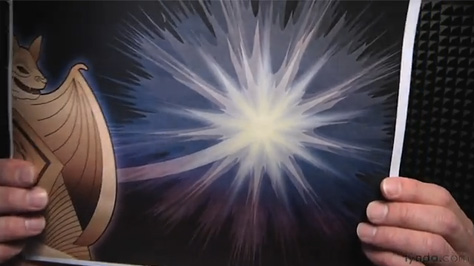
Click below to watch the video:
Visit Deke’s Techniques for more Photoshop and Illustrator creative how-to projects in about 10 minutes.
This article was last modified on October 5, 2011
This article was first published on October 5, 2011
Commenting is easier and faster when you're logged in!

Recommended for you

GretagMacbeth Technology Powers QuarkXPress 7 Color Engine
Quark Inc. announced today that its new alliance with GretagMacbeth adds best-of...

Work Week Projects: Customizing PowerPoint
Five quick exercises to do while you're at work to make working in PowerPoint mo...

The Art of Business: Leader of the Pack
Consider this: The average senior executive spends an average of 23 hours a week...