



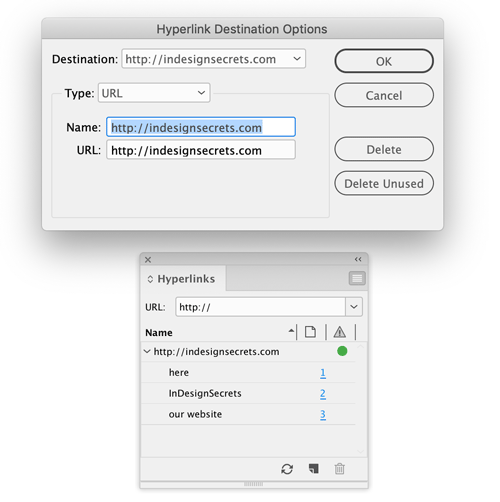
Need to edit several hyperlinks that all point to the same destination? You don’t have to fix them one by one. Just go to the Hyperlinks panel menu and choose Hyperlink Destination Options. In the dialog box, choose the destination you want to edit and update its name and/or URL. When you click OK all the hyperlinks that point to that destination will be updated.
This article was last modified on January 12, 2026
This article was first published on May 6, 2019
Commenting is easier and faster when you're logged in!

Recommended for you

InDesign’s Early Days: Versions 1 & 2
In this week’s InDesignSecrets video, Andrew Keith Strauss walks us through what...

InDesign Tip: Anchoring Graphics Between Paragraphs
To add a graphic separator between paragraphs, anchor the graphic as the first c...
InDesign to Print & Screen: A Best-of-All-Worlds Workflow
When the output could be PDF, EPUB, or print—or all three—there’s no need to com...