


Tip of the Week: Seeing Page Sizes with the Page Tool
How to see the size of any document page in InDesign, using the Page tool.


This InDesign tip on seeing page sizes with the Page tool was sent to Tip of the Week email subscribers on March 22, 2018.

Sign up now and every week you’ll get a new tip, keyboard shortcut, and roundups of new articles, plus exclusive deals sent right to your Inbox!
Just scroll down to the bottom of this page, enter your email address, and click Go! We’ll take care of the rest. Now, on with the tip!
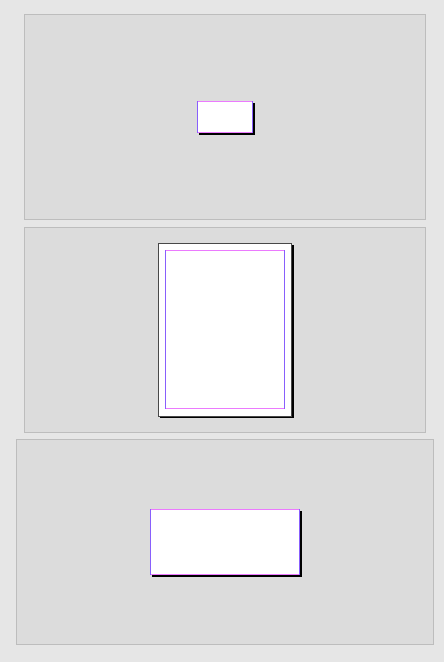
If you open an InDesign document that contains pages of varying sizes, you might wonder if there was a quick way to tell the exact size of each page.
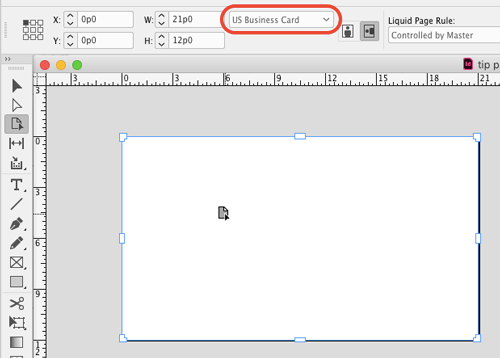
Indeed there is. But don’t go looking in the Pages panel or the Document Setup dialog box. Instead, just take the Page tool and click on any page you want to see the size of. The dimensions will be shown in the Control panel, along with the name of any matching document preset.
This article was last modified on July 20, 2021
This article was first published on March 27, 2018
Commenting is easier and faster when you're logged in!

Recommended for you
Tip of the Week: Locking Snippets
Sign up for the InDesign tip of the week to get a new tip, roundups of new artic...
Transforming Type
You can make some nifty type effects with InDesign alone, but for unlimited crea...

A Script for Setting InDesign Preferences
This customizable script takes the chore out of setting InDesign's preferences t...