



Hey folks, it’s time for another InDesign mystery that you can solve for a chance to win an awesome prize!
Here’s the scenario:
You’re designing a brochure for a small business, and the owner wants “fancy” typography. So you choose an OpenType script font that you know contains lots of fancy alternate characters, swashes, etc.
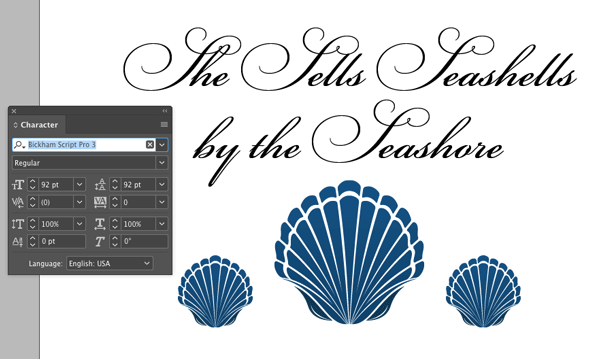
You also know that recent versions of InDesign give you convenient access to OpenType features via an adornment attached to the text frame.
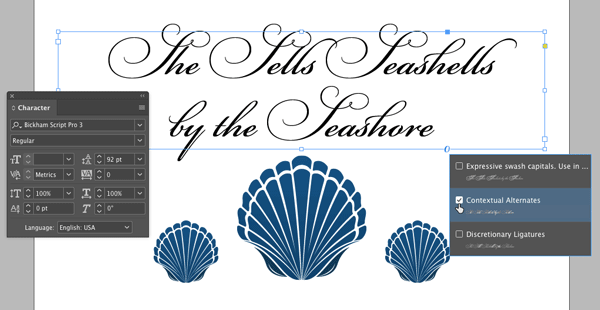
After experimenting with different layouts, you decide to take the fanciness down a notch and turn off the OpenType features. But you notice that the OpenType adornment has disappeared from the text frame.
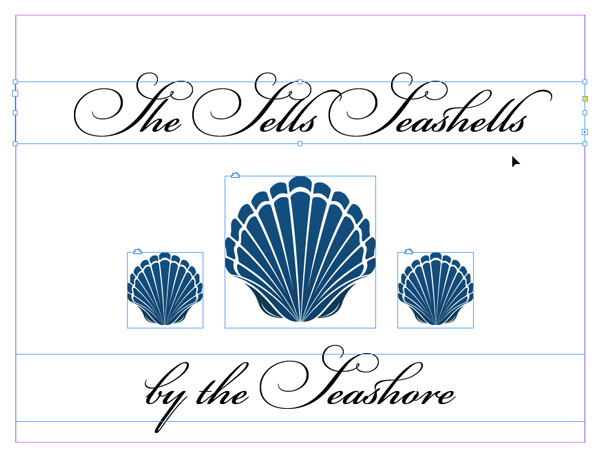
Why is there no OpenType adornment on the text frame?
If you want an extra hint, here’s the same page with hidden characters displayed.

This month’s prize is 3 months access to videos of any 2 days of CreativePro Week 2017.
The winner will be chosen at random from all the correct answers I receive before February 16, 2018
Enter now by emailing your solution to mike at indesignsecrets.com
Note: Comments are closed on this post so no one gives away the answer. Good luck!
This article was last modified on July 25, 2019
This article was first published on February 9, 2018
Commenting is easier and faster when you're logged in!

Recommended for you

The Mystery of the Missing Menu Items Contest Answer and Winner
Solve this InDesign mystery for a chance at winning a great prize.
The Inconsistent Indent Contest Answer and Winner
Solve this InDesign mystery for a chance at winning a great prize.
The Mystery of the Moving Overset Contest Answer and Winner
Solve this InDesign mystery for a chance at winning a great prize.