



I was having terrible troubles with Data Merge last week because I was getting this message about “the data source file you selected either has no records or is not a supported file format” every time I tried to choose the tab-delimited file that contained my data:
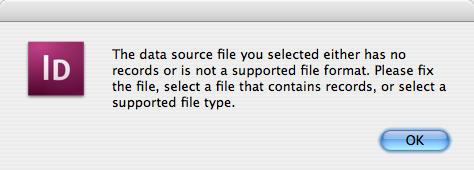
This was just a simple file exported from Excel! I opened the file back up in Excel and resaved as a csv (comma delimited). Same problem. I copied and pasted the data. Same problem. I tried resaving with Unicode vs. Mac vs. PC encoding. Same problem. I banged my head against the table a few times. Same problem.
Then I tried copying just a couple of lines from to a new file. It worked! After that, I quickly realized that some of the 200+ records in the file had weird, mysterious characters in them. I still don’t know what they are. But they’re in there, and InDesign is not happy about it.
So I opened the txt file in my favorite free text editor on the Mac, TextWrangler, selected all the text, and chose Text > Zap Gremlins. I love that command. All the bad stuff disappeared (I guess), because when I resaved, InDesign could suddenly import my file. (Can anyone suggest a great text editor with this kind of feature on Windows?)

It’s too bad when alerts such as the one I was getting are misleading. I mean, the file obviously had records, and the file format was supported. The alert should say, “I don’t know what the heck is in that file, but I can’t deal with it.” I hope my head-banging will mean that others that encounter this in the future won’t have to take as much Ibuprofen.
This article was last modified on December 19, 2021
This article was first published on May 6, 2008
Commenting is easier and faster when you're logged in!

Recommended for you

InDesign Magazine Issue 144: Stealing Great Design
Issue 144 has articles on stealing great design, designing with rules, borders,...

Layout Grid Calculator for Book Page Design
Online tool helps you to calculate perfect page grids according to three differe...

Adjust Word Spacing in Paragraph Styles
MH wrote: We are doing a series of children's books and ample space in between w...