


Working with Color


These video tutorials are from lynda.com’s ” Working with Color” video training series.
Maybe a client saddled you with a palette of colors you hate. Or perhaps you want to understand the theory behind things such as Illustrator CS3’s Live Color and Adobe’s kuler. No matter your motivation, this video tutorial will help you understand how changing colors’ value, hue, and saturation can unite seemingly incompatible colors (Figure 1) into a harmonious set.
Figure 1. Can this color palette be saved?
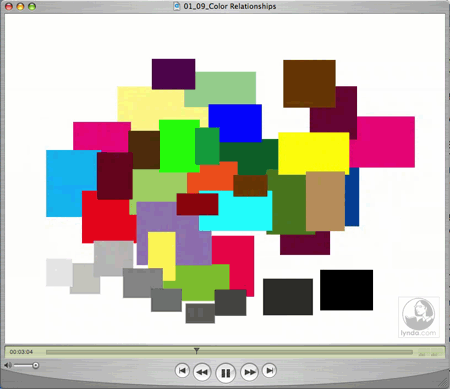
Illustrator and animator Bruce Heavin demonstrates the effects of different color strategies:
- Shift hues — Move hues on the color wheel
- Shift color — Add value + saturation +hue
- Shift saturation — Take away and adding saturation
- Tint colors — Add white
- Shade colors — Add black
- Tone colors — Mix grey (tinting + shading)
This video is a QuickTime movie. You can download it by option- or right-clicking on the link below and saving the “.mov” file to your hard disk. Or you can simply click the following link to play it:
Color Relationships
Excerpted from “Working with Color” © lynda.com. ALL RIGHTS RESERVED.
This article was last modified on June 17, 2023
This article was first published on June 27, 2007
Commenting is easier and faster when you're logged in!

Recommended for you

How to Straighten Photos Taken at an Angle
It’s hard to photograph many images head-on. For example, if you try to shoot a...

Scanning Around with Gene: Getting That New Bike Down the Chimney
Vintage images and memories from when a shiny new bike was the ultimate Christma...

Illustrator’s Other Drawing Modes
If you use Photoshop, Illustrator, or InDesign, you ought to be familiar with bo...