Have an account? Sign in
"*" indicates required fields
You agree that CreativePro Network may send you emails, including the newsletter selections above. You can unsubscribe at any time.
By signing in, you agree to our Terms of Use and acknowledge our Privacy Notice.

New user? Create an account
By signing in, you agree to our Terms of Use and acknowledge our Privacy Notice.
No… as far as I know, InDesign just throws out the previous image and uses the new one. I don’t think it saves anything about the old one.
Erica Gamet created a introductory course on GREP, which you can find here: https://learn.creativepro.com
You typically need a ME (middle-eastern) version of InDesign to create R-to-L documents. I don’t think that’s it, as the Pages panel looks correct.
Are you using in the Articles panel?
Wow, that is pretty weird. Literally, the last page of the InDesign document is the first page of the EPUB?! I can’t even see how that would happen. Unless somehow the document was stuck in Right-to-Left mode (like Hebrew) or something? Still probably not… just grasping at straws.
One idea: export the InDesign file as IDML and then open the IDML file and try exporting to EPUB. If there is any weirdness/corruption with the file, that should clean it up.
I just checked CC 2021 and the problem is still there. Annoying!
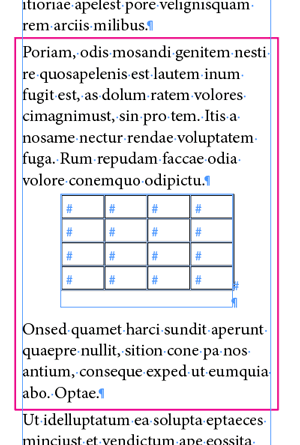
However, other inline objects do not cause problems. So here is one workaround: Put the table into a new text frame… and then anchor that frame on its own line inside the story:

Wow, I never noticed this before. That’s terrible! Must be some kind of bug.
This site uses cookies, but not the kind you eat. We use cookies to remember log in details, provide secure log in, improve site functionality, and deliver personalized content. By continuing to browse the site, you accept cookies.