



[This is a guest post from our friend James Wamser, who read my What Size is this Page? post from last week and wanted to contribute another way to skin that cat. James works for Wisconsin’s Ripon Printers and is an Adobe Certified Instructor. He also teaches InDesign at Waukesha County Technical College and co-chairs the mighty-mighty Milwaukee Chapter of the Adobe InDesign User Group.]
Live Preflight was introduced in InDesign CS4 and really does a great job of identifying and helping you prevent potential production problems as you work, of course having a good preflight profile really makes a difference.
Since InDesign has the ability to have multiple pages sizes in the same document, Live Preflight can help you identify pages that vary in size. Once example of this is building a spiral bound catalog with tabs to final trim size. Pages without tabs are 8.5 x 11 and the pages with tabs are 9 x 11.

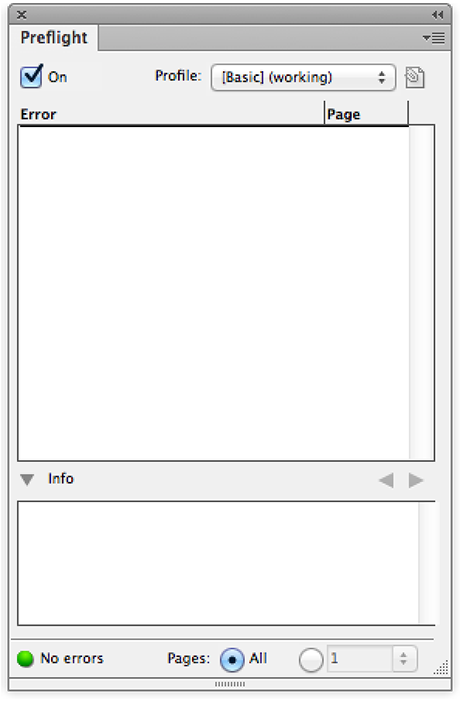
If your profile is not set to flag this, open the Preflight Panel either by double-clicking on the Preflight Status bar in the lower left hand corner of your document or by choosing Window > Output > Preflight.
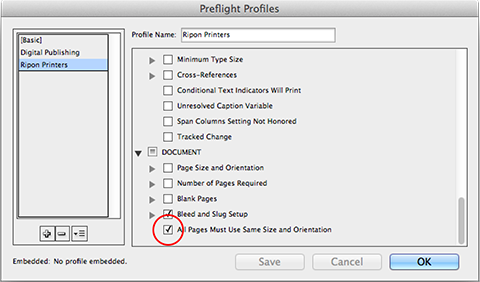
Choose Define Profiles… from the Preflight Panel flyout menu. Scroll down to the bottom of the list of items to be checked and make sure “All Pages Must Use Same Size and Orientation” is checked. It’s not that all the pages must be the same size, it’s just a quick way to identify pages that vary in size.
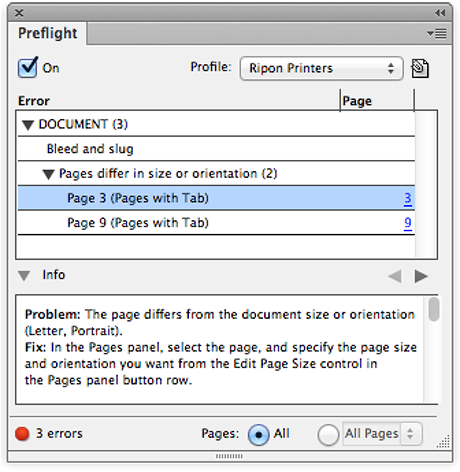
Save your profile and make sure it’s selected in the Preflight Panel. If you have Pages that vary in size, your Preflight Panel will tell you exactly what pages they are!
This article was last modified on December 30, 2021
This article was first published on April 5, 2013
Commenting is easier and faster when you're logged in!

Recommended for you

Fusion Workflow ESP 4.07 for Windows Released
Fusion Systems International (https://www.FusionSystems.com) today announced the...

InDesign Tip: Creating Guides at Precise Locations
Two quick tips for creating ruler guides at precise locations in InDesign: 1. Do...

This Week in InDesign Articles, Number 8
Some excellent new scripts, videos, and articles about InDesign that you'd bette...