



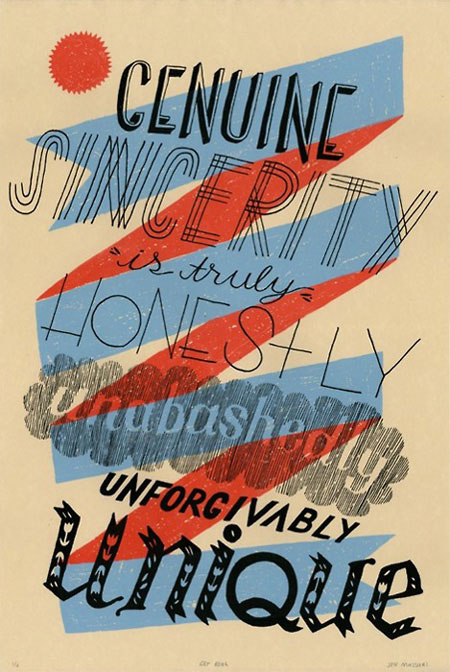
Hand-drawn lettering is an excellent alternative to a traditional typeface. I’m not (necessarily) talking about fancy calligraphy or professionally drawn hand lettering, but informal letters that look like (or are) actual handwriting.

Here are some reasons why I like this organic approach:
- The unique results can speak to your audience in a personal way
- Because it’s so customized, it can match layout needs and target audience preferences precisely
- It can appear to come from a specific person or voice, such as a child’s scrawl, a famous person’s handwriting, etc.
- It can be cheaper than using a font!


While you can certainly hire a professional lettering artist or illustrator to create the kind of writing you need, that isn’t the only way. Do you, or does anyone you know, have eye-catching handwriting? Have you ever received correspondence with writing that’s attractive, interesting, or even quirky? These are all possible sources. Give it your best shot, or ask your friends, family, or coworkers to write a sample.
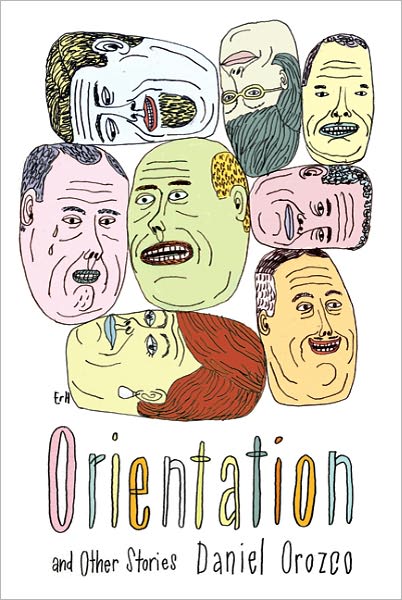

Once you find a style you like, then what? Digital technology has accustomed us to multiple undo’s, and happily, the final version of your lettering doesn’t have to be created in one attempt. Here are steps to go from concept to final artwork:
1. Write (or have written) the actual text several times at a size close to the desired final size. The letters can stand alone or be part of an entire word.
2. Use tracing paper to revise and redraw as necessary.
3. Scan and import the drawings into Illustrator or whatever software you like to create workable, editable vector images.
4. Choose the letterforms and/or entire words you want to appear in the final layout.
5. Assemble the letters and words in your layout.
6. Adjust the size, weight, spacing, alignment, and color as desired.
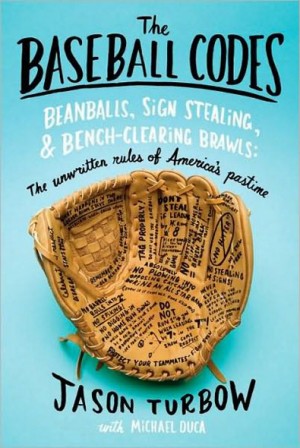


If you’re willing to forgo some individuality for a faster and relatively inexpensive alternative, there are many hand-drawn fonts that might serve your purpose. Check out YouWorkForThem for a sampling.
This article was last modified on May 4, 2026
This article was first published on January 11, 2012
Commenting is easier and faster when you're logged in!

Recommended for you
InDesign How-To Video: Find All Numbers and Style Them
Use this GREP expression to find all the numbers in an InDesign document and the...

Interview with Khara Plicanic, CreativePro
Get to know this amazing author, trainer, designer, photographer, and speaker at...

What Kind of InDesign User Are You? (Quiz)
Answer the questions, tally your points, and discover your InDesign persona...