Hi there,
I’m sorry for the very vague title, but I have no idea what to call it. I googled for many things: fluid layout, auto layout, threaded objects across pages, anchor objects to objects, auto flow across pages, etc.
To describe what my situation is, I made a little sketch.
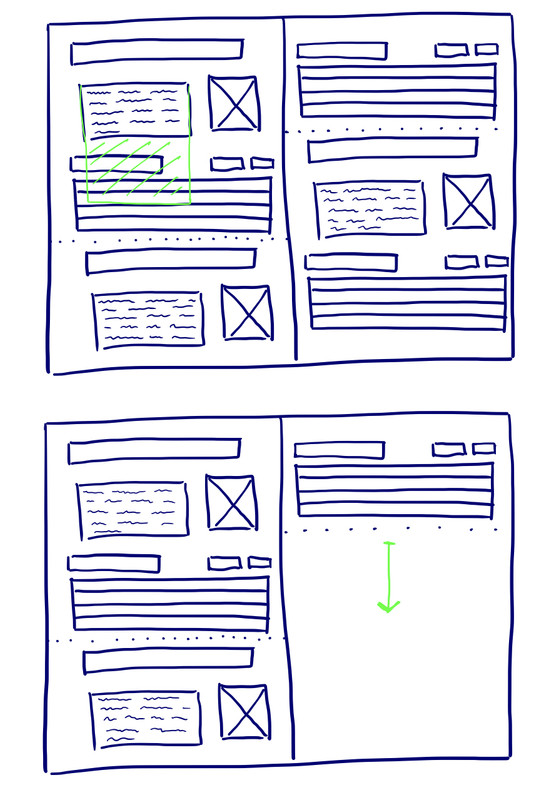
My current layout consists of some repeating elements (header, image, text frame, and a table). It’s for a product catalogue / product price list. I already made the whole price list with the tables filled in. The problem I encounter is that sometimes a product needs to be added, or the product description (in the text frame) need to be longer or shorter. Let’s say, for example, that the product description needs to be longer as can be seen in the sketch in green. This means there is an overlap with the text frame and the objects on the bottom of it, and that means I need to reposition all objects on all pages that come after it.
What’s the way to deal with situations like these? I can’t imagine that people would reposition all objects hand by hand, especially for a document that’s 100 pages long.
Thanks a lot!
Cheers,
David



.

