



This InDesign tip on using align and distribute with guides was sent to Tip of the Week email subscribers on February 9, 2017.

Sign up now and every week you’ll get a new tip, keyboard shortcut, and roundups of new articles, plus exclusive deals sent right to your Inbox!
Just scroll down to the bottom of this page, enter your email address, and click Go! We’ll take care of the rest. Now, on with the tip!
You’ve probably used InDesign’s align and distribute commands to arrange objects in your layout. But did you know that these commands also work with guides?
Just make sure guides are unlocked first (choose View > Grids & Guides > and make sure Lock Guides is not selected).
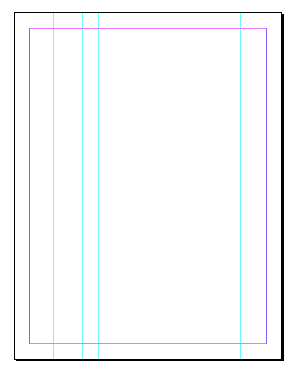
Then select guides with either selection tool, and use the controls in the Align panel or the Control panel.

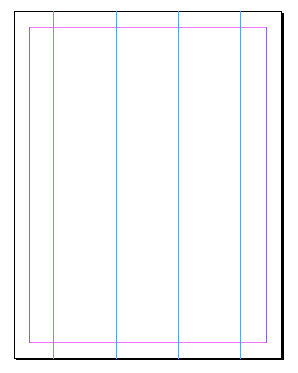
Use the Spacing controls to set precise distances between guides.

This article was last modified on July 25, 2019
This article was first published on February 14, 2017
Commenting is easier and faster when you're logged in!

Recommended for you

The Mystery of the Missing Menu Items Contest Answer and Winner
Solve this InDesign mystery for a chance at winning a great prize.
Tip of the Week: Spring-Loaded Shortcuts
This little trick lets you switch tools in InDesign without missing a beat.
Tip of the Week: Setting Font Preview Size
This tip was sent to Tip of the Week email subscribers on May 14, 2015. Sign up...