




This tip was sent to Tip of the Week email subscribers on June 2, 2016.

Sign up now and every week you’ll get a new InDesign Tip of the Week and Keyboard Shortcut of the Week, along with roundups of new articles at InDesignSecrets, plus exclusive deals sent right to your Inbox!
Just scroll all the way down to the bottom of this page, enter your email address, and click Go! We’ll take care of the rest. Now, on with the tip!
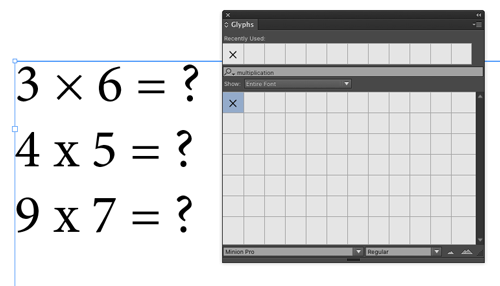
If you’re a regular InDesign user, and you don’t take advantage of the features in the Glyphs panel, you’re really missing out. And since last fall, users of InDesign CC 2015 have a cool new feature in the Glyphs panel: the ability to search for a specific glyph in a font based on its name, Unicode value, Character ID (CID), or Glyph ID (GID).
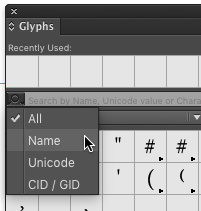
This means the end of scrolling up and down in the panel in search of that obscure glyph you need.
Now, I know what you’re thinking: “But Mike, we love to scroll! It’s deeply satisfying because it’s encoded in our collective memory from thousands of years of gathering yummy nuts and berries for our survival.”
Fair enough my fellow primates, but it’s time to evolve. If you have CC 2015, click the magnifying glass and select your criteria from the search pop-up. Then start typing in the search field.
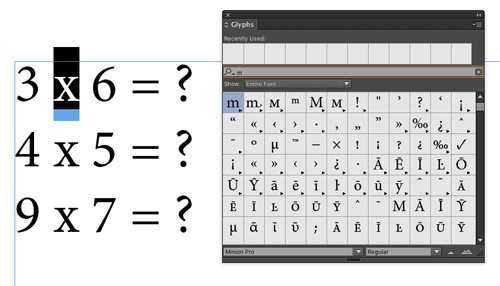
The list of glyphs immediately narrows as you type.
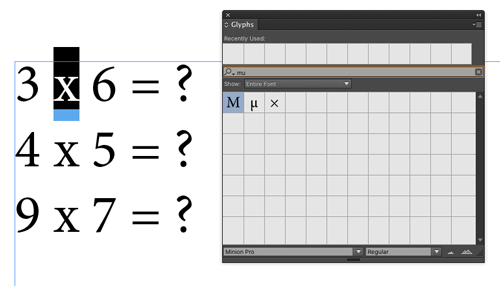
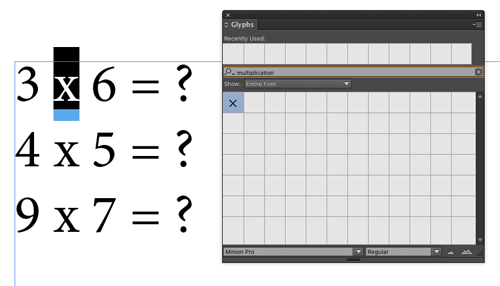
When you see the glyph you want, just double-click it in the panel to insert it into your text.
This article was last modified on July 25, 2019
This article was first published on June 7, 2016
Commenting is easier and faster when you're logged in!

Recommended for you

Making Slanted Strokes
Don't settle for the default right hash! Learn to make custom slanted strokes us...

Working with Smart Folders in OS X
A smart folder is a folder in Mac OS whose contents determined by a set of rules...

Understanding the Difference Between CMYK and RGB
Learn the difference between the CMYK and RGB gamuts to get the color results yo...