




During this year’s PePcon conference, Adobe released a brand new version of the Creative Cloud applications. Referred to as the 2014 release of the Creative Cloud, this update provides new versions for all of the Creative Cloud applications including Adobe InCopy.
The 2014 Release of InCopy CC offers some great new features that I think many users will appreciate including:
- A “Find Previous” option when searching in the Find/Change dialog box
- Footnotes are now affected by objects with a text wrap applied
- Color Swatch Folders to organize swatches
- Drag-and-drop as well as drag-and-copy of table cells within a table
- Hi-DPI support for Windows users
- When you update to the 2014 release of InCopy CC, your preferences and shortcuts will be migrated from your previous InCopy installation (CS6 and CC only)
I find the table improvement to be particularly useful in InCopy as it allows you to easily adjust content in table cells with the greatest of ease. No more copying, inserting, and pasting table cells! Although these improvements may seem subtle, I feel that they will make a significant improvement from a usability standpoint.
Installation
Like all of the Creative Cloud applications, installation is quite simple. You can choose the update button next to InDesign CC (2014) in the Apps section of the Creative Cloud Desktop Application, or you can go to the Creative Cloud website and choose InCopy CC (2014) from the drop-down menu and click the download button.
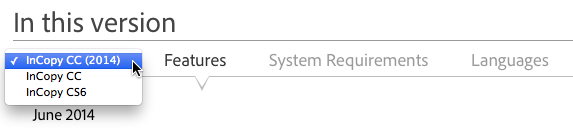
Downloading the 2014 release of InCopy CC from the Creative Cloud Website
This article was last modified on December 30, 2021
This article was first published on June 19, 2014
Commenting is easier and faster when you're logged in!

Recommended for you
Marginal Notes in InDesign
Learn two easy ways to convert footnotes and endnotes to marginal notes in InDes...

Bridge CC Update Adds New Features for Working with Graphics and CC Libraries
The details on a Adobe Bridge CC 2018 update that adds new features for working...
Text Cleanup in InCopy using GREP
This past week I was talking with a group of editors who were lamenting about th...