



Quick tip: If you want drop shadows to appear under text in a fixed-layout EPUB, you have to pay attention to how the drop shadow is set up, otherwise it will not show up in the EPUB.
Consider the following page:
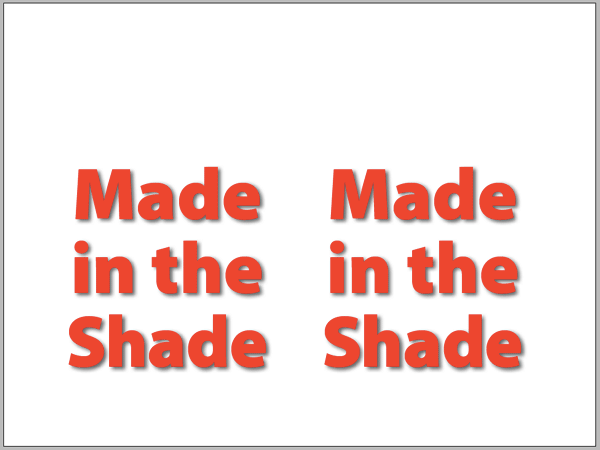
Two text frames, identical in every way except how the drop shadow is applied.
Export the document to Fixed-Layout EPUB. And here’s what you get:
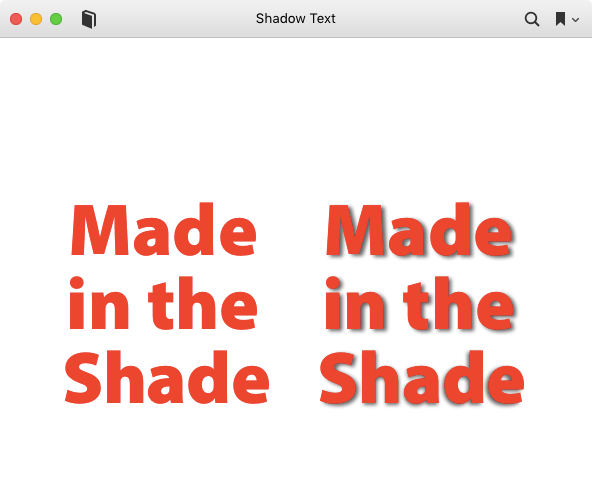
Why did the shadow disappear on the left text frame? Because it was applied to the frame itself.
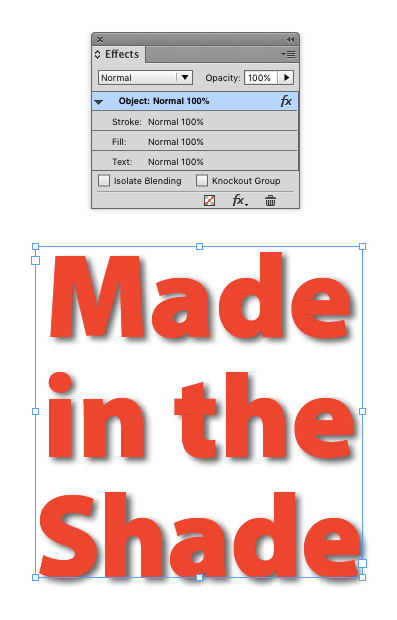
In the example on the right, the drop shadow was applied directly to the text, using the controls in the Effects panel.

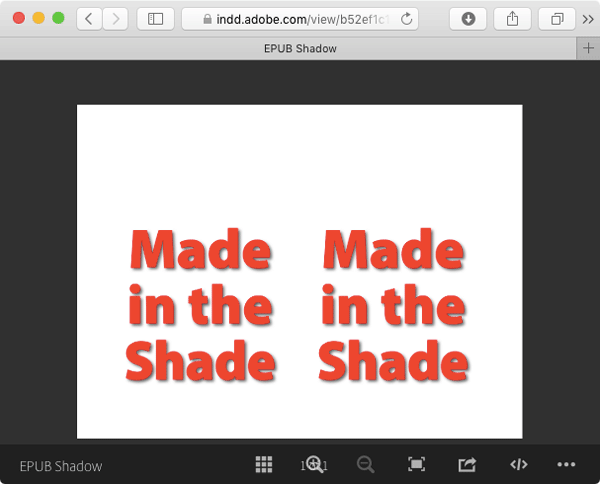
Note that this only applies to fixed-layout EPUB, text drop shadows don’t export to reflowable EPUB. But if you’re exporting to Publish Online, either method works fine.
This article was last modified on July 25, 2019
This article was first published on April 21, 2016
Commenting is easier and faster when you're logged in!

Recommended for you


InDesign How-to Video: How to Manage Links
In this week’s InDesignSecrets video, Anne-Marie Concepción looks at InDesign’s...

How to Add the Output Module to Adobe Bridge CC
Much to the dismay of some devoted users, Adobe Bridge CC shipped without some o...