




Stay ahead of the curve with an exploration of the latest accessibility features and enhancements in Microsoft 365. Learn how to leverage these new capabilities to create more accessible documents, presentations, and spreadsheets.
Key Takeaways:
- Overview of new accessibility features across Microsoft 365 applications
- Practical demonstrations and examples of accessibility improvements
- Tips for incorporating new features into existing workflows
This article was last modified on April 24, 2025
This article was first published on January 7, 2025
Commenting is easier and faster when you're logged in!

Recommended for you

Getting Rid of Empty Lines in a Data Merge
We’ve talked quite a bit about InDesign’s Data Merge feature over th...

Photo Downloadable: Product Background Set
Make your products stand out by putting them on a pedestal in these Adobe Firefl...
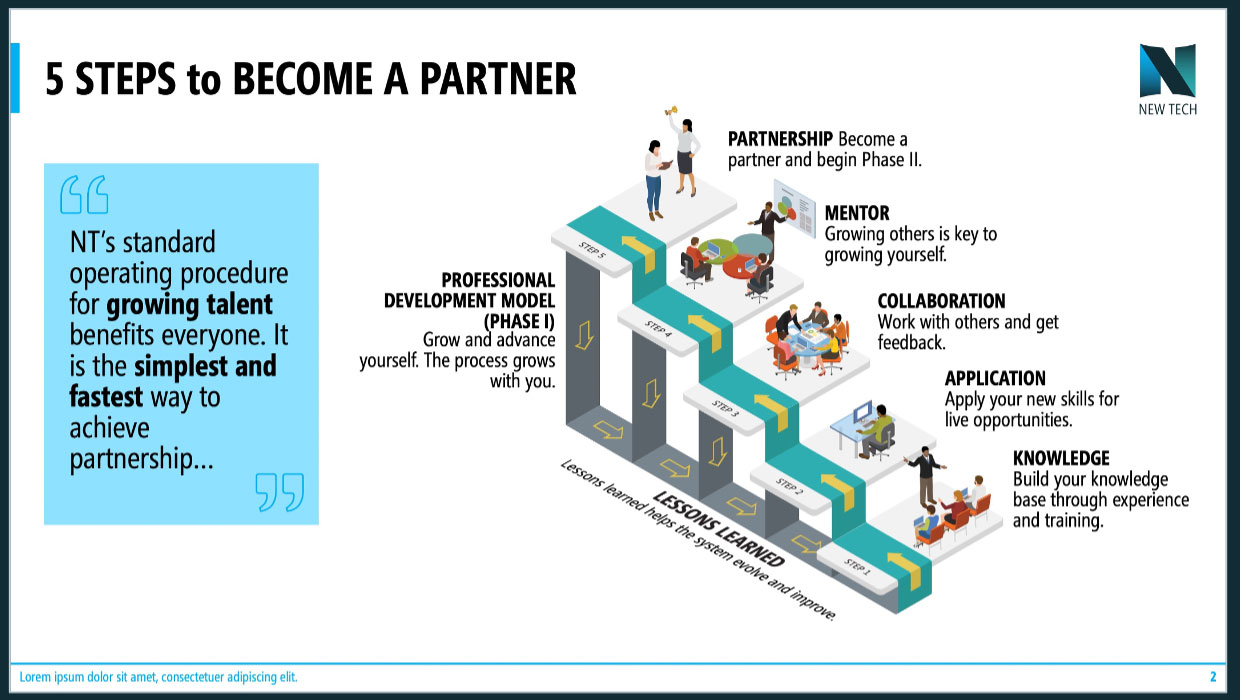
Advanced PowerPoint Infographics
Go beyond SmartArt and pretty pictures in your presentation designs