




Serif, a leading independent design, publishing and creative software developer, today released a significant upgrade to its award-winning desktop publishing software PagePlus X4, which offers the perfect blend of powerful creative design, professional results and affordability, making high-end desktop publishing capabilities more attainable for small businesses, professionals and home-users than ever before.
PagePlus X4 continues to offer its hallmark feature-set including thousands of professional templates and the specialized Cutout and Logo studios, which make professional-quality results quick and easy. Advanced features such as the new learning zone, integrated photo editing capabilities, new sophisticated graphics tools, industry standard file compatibility and added easy-to-use tools to enhance productivity; extend PagePlus’ lead over similarly priced rivals.
Key new features and benefits include:
* Innovative Learning Zone – Quick and easy access to printable or video tutorials, Serif support and the vibrant user community.
* Integrated Photo Editing – PhotoLab puts more than 70 professional photo adjustments and artistic effects at the user’s fingertips, along with quick fix options like one-touch red-eye removal, blemish removal or masking capabilities
* Additional Industry-standard File Compatibility – Import MS Word documents and OpenOffice.org ODF files. Import text and pictures from Microsoft Word 2007 documents
* Anchored Objects – Maintain a picture or drawing’s position relative to specific text, a column, frame, margin or page whilst remaining fully editable
* High Impact Graphics Tools – Joining and cutting shapes to create eye catching illustrations such as logos can now be achieved directly within PagePlus
* Photo-quality Frames and Borders – Drag ‘n’ drop photo realistic frames and borders into documents and resize without losing quality
Additional productivity enhancements include improvements to PDF® import enabling even more advanced PDF editing, an enhanced resource manager which makes it easier than ever to stay in control of long documents, dynamic guides for quick-snap alignment of objects on a page, tabbed workspace for quickly switching between publications and a redesigned Startup Wizard which makes viewing templates and selecting design themes simple.
This article was last modified on August 18, 2021
This article was first published on August 6, 2009
Commenting is easier and faster when you're logged in!

Recommended for you

Power Grouping: Working with Compound Paths
Compound paths can solve problems when placing images or manipulating letters
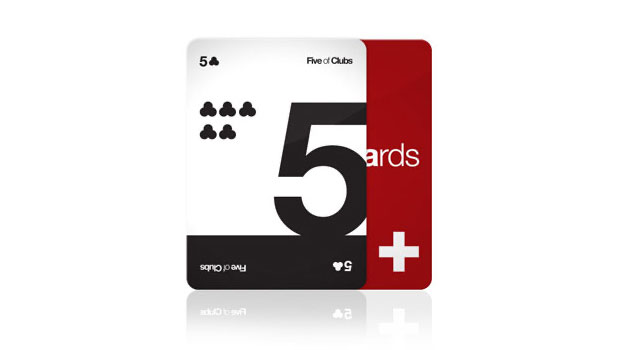
Love Helvetica? Love Card Games?
If you want to show your game-night buddies how much you love Swiss design, don...
Import a Folder Full of Pictures, One Per Page
In an earlier article, I wrote about how to import lots of images into InDesign...