



I’ve been traveling a lot lately. Strangely, I’ve found that I do some of my best scripting at 30,000 feet. Must be the in-flight peanuts. Just for fun, I decided to knock a script together to create self-running slide shows in InDesign CS5.
InDesign CS5 has a new Presentation Mode that displays the active InDesign file full-screen, hiding the InDesign interface. But when you’re in presentation mode, you need to use the arrow keys to advance from slide to slide. I thought it might be handy to have the slides advance automatically, and the SlideShow script is the result.
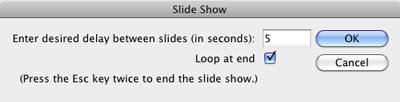
The script is rough and unpolished, but it does the trick. It will likely only work in the US English version of InDesign. If someone really needs it to work in another language, let me know, and I could tell you how to modify it for your language.
This article was last modified on December 20, 2021
This article was first published on June 15, 2010
Commenting is easier and faster when you're logged in!

Recommended for you

Data Merging – Part 3
It’s been much longer than I expected finishing this three-part tutorial o...
Stray Points Got You Down? Here’s a Script To Fix It.
Every now and again I’ll attempt to scale something in InDesign and get th...
Alias One Color Swatch to Another
Perhaps you know that InDesign's Ink Alias feature (hidden inside the Ink Manage...